Verifying Signed JAR Files states that the basic command to use for verifying a signed JAR file is jarsigner -verify jar-file. The jarsigner Command adds that when the -strict option is specified, it constructs the exit code depending on which checks failed. We can check the exit code using echo $? in bash. For example, I get exit code 16 for my unsigned JAR file with --strict but exit code 0 without it.
cd /c/repos/factorize/java/project
time mvn package

export JAVA_HOME=/d/java/binaries/jdk/x64/2026-04/windows-jdk25u/jdk-25.0.3+9

$JAVA_HOME/bin/jarsigner -verify -strict target/factorize-1.0.0-jar-with-dependencies.jar

echo $?
Warning:  Different store and key passwords not supported for PKCS12 KeyStores. Ignoring user-specified -keypass value.
keytool error: java.lang.Exception: The -keyalg option must be specified.
Generating 2048-bit DSA key pair and self-signed certificate (SHA256withDSA) with a validity of 180 days
        for: CN=Saint Wesonga, OU=Java, O=Microsoft, C=US
$JAVA_HOME/bin/jarsigner \
 -keystore mykeys/mykeystore \
 -signedjar target/factorize-1.0.0-signed-jar-with-dependencies.jar \
 target/factorize-1.0.0-jar-with-dependencies.jar business
Its output is:
Enter Passphrase for keystore:

jar signed.

Warning:
The signer's certificate is self-signed.
POSIX file permission and/or symlink attributes detected. These attributes are ignored when signing and are not protected by the signature.
Earlier this year I dug into intermittent test hangs in the ProducerConsumerLoops test when using the Windows AArch64 JDK 25 build. I decided to test it on JDK 17 and JDK 21 to see how far back the hang went:
export JAVA_HOME17=/c/java/binaries/jdk/aarch64/2025-10/windows-jdk17u/jdk-17.0.17+10
export JAVA_HOME21=/c/java/binaries/jdk/aarch64/2025-10/windows-jdk21u/jdk-21.0.9+10

date; time $JAVA_HOME17/bin/java -Xcomp -XX:-TieredCompilation ProducerConsumerLoops
date; time $JAVA_HOME21/bin/java -Xcomp -XX:-TieredCompilation ProducerConsumerLoops
The test passed on jdk17u but hang on jdk21u. The hang did not happen with -Xint or -Xcomp -XX:TieredStopAtLevel=1 and the jstack command did not report any deadlock. I couldn’t find a Windows AArch64 jdk19u build to test, so I had to build the sources myself. I suspected that I would need a jdk18u build for the jdk19u boot JDK, so I started by building jdk18u. See Building OpenJDK 18 for Windows AArch64 for details on the errors I ran into and how I worked around them – I needed a jdk18u build for the boot JDK when building jdk18u.
configure: Found potential Boot JDK using configure arguments
configure: Potential Boot JDK found at /cygdrive/d/java/binaries/jdk/x64/2025-10/windows-jdk17u/jdk-17.0.17+10 is incorrect JDK version (openjdk version "17.); ignoring-Bit Server VM Microsoft-12574423 (build 17.0.17+10-LTS, mixed mode, sharing)
configure: (Your Boot JDK version must be one of: 18 19)
configure: error: The path given by --with-boot-jdk does not contain a valid Boot JDK
configure exiting with result code 1
ERROR: Build failed for target 'images' in configuration 'windows-aarch64-server-release' (exit code 2)
Stopping javac server

=== Output from failing command(s) repeated here ===
* For target support_native_jdk.jdwp.agent_libjdwp_debugInit.obj:
debugInit.c
d:\java\forks\openjdk\jdk\src\jdk.jdwp.agent\share\native\libjdwp\debugInit.c(248): error C2220: the following warning is treated as an error
d:\java\forks\openjdk\jdk\src\jdk.jdwp.agent\share\native\libjdwp\debugInit.c(248): warning C5287: operands are different enum types '<unnamed-enum-JVMTI_VERSION_1>' and '<unnamed-enum-JVMTI_VERSION_MASK_INTERFACE_TYPE>'; use an explicit cast to silence this warning
d:\java\forks\openjdk\jdk\src\jdk.jdwp.agent\share\native\libjdwp\debugInit.c(248): note: to simplify migration, consider the temporary use of /Wv:18 flag with the version of the compiler with which you used to build without warnings
d:\java\forks\openjdk\jdk\src\jdk.jdwp.agent\share\native\libjdwp\debugInit.c(250): warning C5287: operands are different enum types '<unnamed-enum-JVMTI_VERSION_1>' and '<unnamed-enum-JVMTI_VERSION_MASK_INTERFACE_TYPE>'; use an explicit cast to silence this warning
d:\java\forks\openjdk\jdk\src\jdk.jdwp.agent\share\native\libjdwp\debugInit.c(250): note: to simplify migration, consider the temporary use of /Wv:18 flag with the version of the compiler with which you used to build without warnings
d:\java\forks\openjdk\jdk\src\jdk.jdwp.agent\share\native\libjdwp\debugInit.c(252): warning C5287: operands are different enum types '<unnamed-enum-JVMTI_VERSION_1>' and '<unnamed-enum-JVMTI_VERSION_MASK_INTERFACE_TYPE>'; use an explicit cast to silence this warning
d:\java\forks\openjdk\jdk\src\jdk.jdwp.agent\share\native\libjdwp\debugInit.c(252): note: to simplify migration, consider the temporary use of /Wv:18 flag with the version of the compiler with which you used to build without warnings
   ... (rest of output omitted)

* All command lines available in /cygdrive/d/java/forks/openjdk/jdk/build/windows-aarch64-server-release/make-support/failure-logs.
=== End of repeated output ===
I deleted the build directory and reran configure with the --disable-warnings-as-errors flag to work around this and found that the test passed on the jdk20u (release configuration) build.
checking for gtest... /cygdrive/d/repos/googletest
configure: error: gtest version is too old, at least version 1.13.0 is required
configure exiting with result code 1
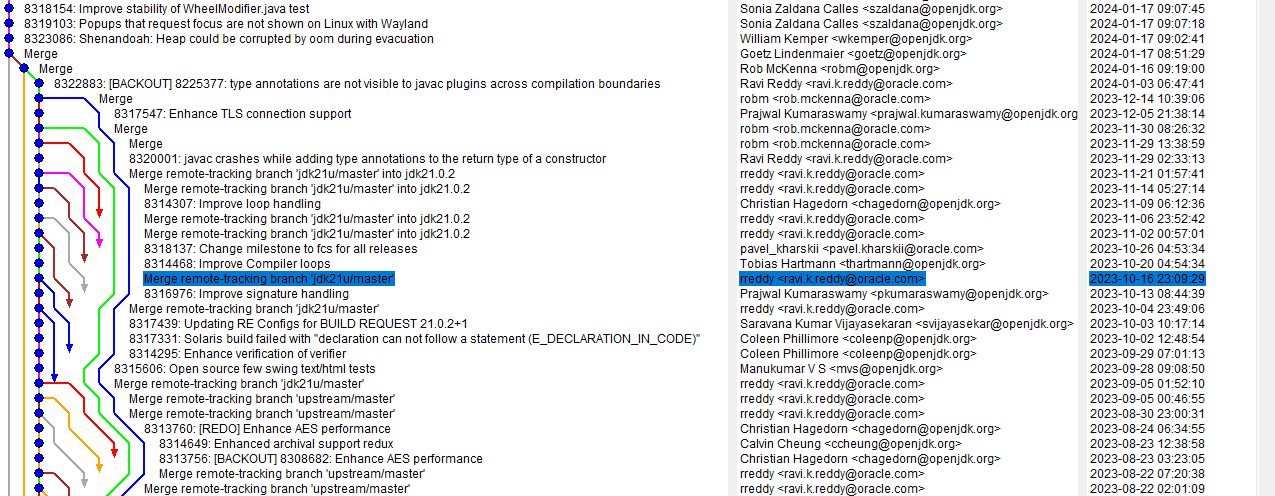
I fixed the gtest tag and the test passed on that Windows AArch64 build. It looked like the test was passing on every build was so I decided to build the end tag of the search: jdk-21+26. The test passed there too! I downloaded the 21.0.9+10 build from Adoptium and it failed so I needed to continue bisecting in the jdk21u repo. I had a fork of openjdk/jdk21u-dev locally so I started by searching (by JBS ID) for the last commit that passed the test on tip:
$ git log --grep='8306841'
commit bb377b26730f3d9da7c76e0d171517e811cef3ce (tag: jdk-22+0, tag: jdk-21+26)
Author: Stefan Karlsson <stefank@openjdk.org>
Date:   Thu Jun 8 14:06:27 2023 +0000

    8306841: Generational ZGC: NMT reports Java heap size larger than max heap size

    Reviewed-by: eosterlund, stuefe
# show log up to a specific commit
git log bb377b2..HEAD

# show just summary line of a commit
git show -s --oneline bb377b2..HEAD

# command to count number of lines (outputs 1727)
git show -s --oneline bb377b2..HEAD | wc -l

# show the commit halfway between the two ends
git show -s --oneline bb377b2..HEAD | head -n 863

# outputs 8ac431347fd 8324723: GHA: Upgrade some actions to avoid deprecated Node 16

git checkout 8ac431347fd
# command to count number of lines (outputs 865)
git show -s --oneline bb377b2..8ac4313 | wc -l

# show the commit halfway between the two ends
git show -s --oneline bb377b2..8ac4313 | head -n 432

# outputs a4e78f30fce Merge remote-tracking branch 'jdk21u/master'
$ git checkout 9ca8761
error: short object ID 9ca8761 is ambiguous
hint: The candidates are:
hint:   9ca87615550 commit 2024-01-17 - 8323086: Shenandoah: Heap could be corrupted by oom during evacuation
hint:   9ca8761a221 tree
error: pathspec '9ca8761' did not match any file(s) known to git

$ git checkout 9ca87615550eba5493dde94e6204e58ca8cc1119
saint@MacBookPro build_llvm_Aarch64 % pwd
/Users/saint/repos/llvm/llvm-project/build_llvm_Aarch64
saint@MacBookPro build_llvm_Aarch64 % cmake ~/repos/llvm/llvm-project
CMake Warning:
  Ignoring extra path from command line:

   "/Users/saint/repos/llvm/llvm-project"


CMake Error: The source directory "/Users/saint/repos/llvm/llvm-project" does not appear to contain CMakeLists.txt.
Specify --help for usage, or press the help button on the CMake GUI.
saint@MacBookPro build_llvm_Aarch64 % cmake ~/repos/llvm/llvm-project/llvm
-- The C compiler identification is AppleClang 17.0.0.17000404
-- The CXX compiler identification is AppleClang 17.0.0.17000404
-- The ASM compiler identification is Clang with GNU-like command-line
-- Found assembler: /Applications/Xcode.app/Contents/Developer/Toolchains/XcodeDefault.xctoolchain/usr/bin/cc
-- Detecting C compiler ABI info
-- Detecting C compiler ABI info - done
-- Check for working C compiler: /Applications/Xcode.app/Contents/Developer/Toolchains/XcodeDefault.xctoolchain/usr/bin/cc - skipped
-- Detecting C compile features
-- Detecting C compile features - done
-- Detecting CXX compiler ABI info
-- Detecting CXX compiler ABI info - done
-- Check for working CXX compiler: /Applications/Xcode.app/Contents/Developer/Toolchains/XcodeDefault.xctoolchain/usr/bin/c++ - skipped
-- Detecting CXX compile features
-- Detecting CXX compile features - done
CMake Error at CMakeLists.txt:82 (message):


  No build type selected.  You need to pass -DCMAKE_BUILD_TYPE=<type> in
  order to configure LLVM.

  Available options are:

    * -DCMAKE_BUILD_TYPE=Release - For an optimized build with no assertions or debug info.
    * -DCMAKE_BUILD_TYPE=Debug - For an unoptimized build with assertions and debug info.
    * -DCMAKE_BUILD_TYPE=RelWithDebInfo - For an optimized build with no assertions but with debug info.
    * -DCMAKE_BUILD_TYPE=MinSizeRel - For a build optimized for size instead of speed.

  Learn more about these options in our documentation at
  https://llvm.org/docs/CMake.html#cmake-build-type


-- Configuring incomplete, errors occurred!
See also "/Users/saint/repos/llvm/llvm-project/build_llvm_Aarch64/CMakeFiles/CMakeOutput.log".
See also "/Users/saint/repos/llvm/llvm-project/build_llvm_Aarch64/CMakeFiles/CMakeError.log".
I don’t know why it wouldn’t just default to the release build. Providing that flag was sufficient for the configuration and build to succeed.
My first successful build was via the cmake --build . command, which took over 3 hours on my M1. This was longer than I expected but it was a very simple process overall when compared to Windows AArch64 cross-compilation.
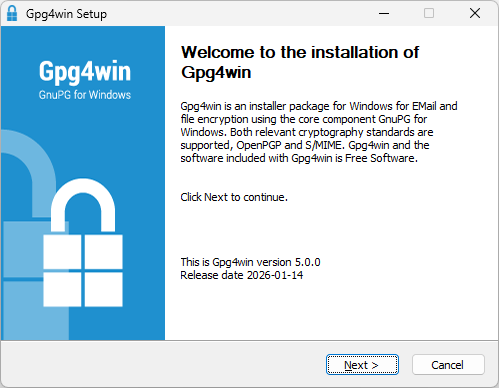
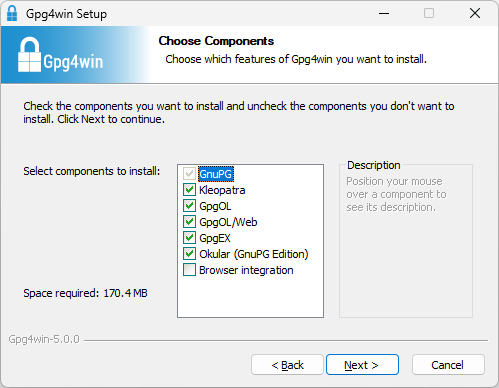
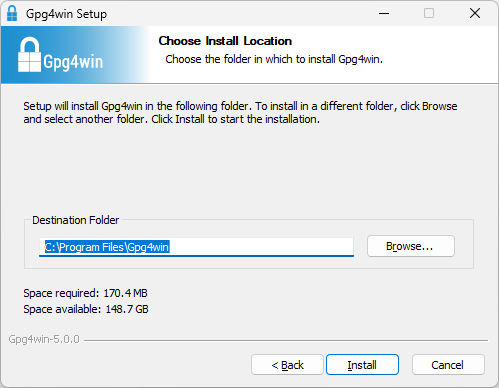
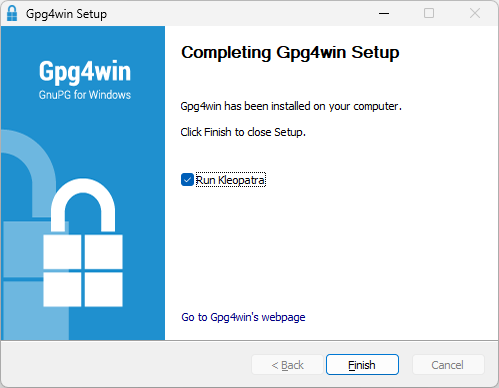
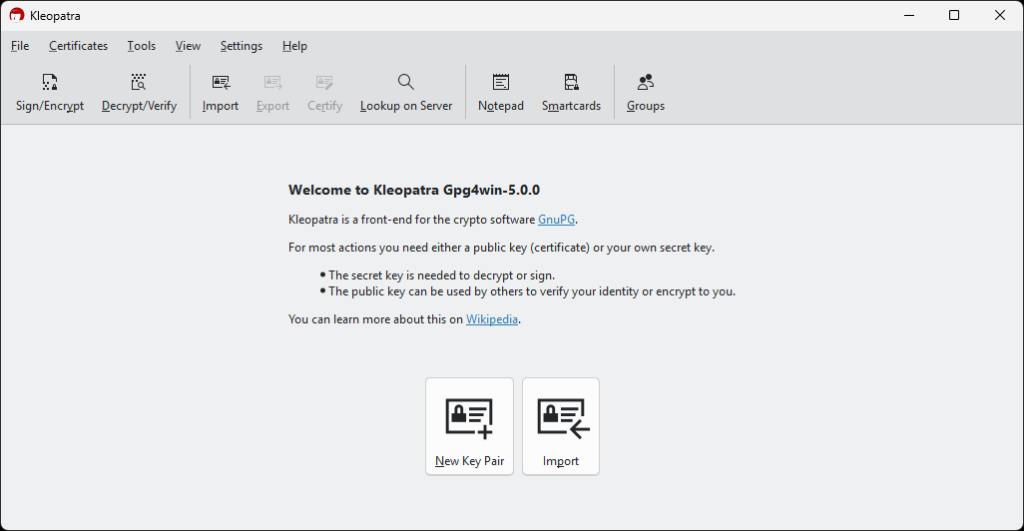
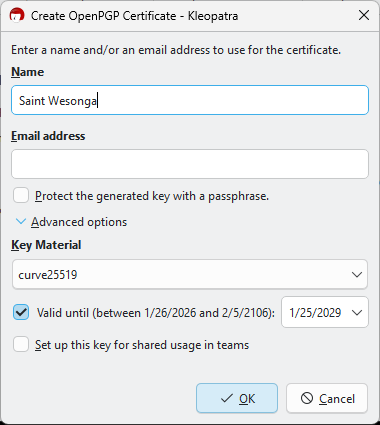
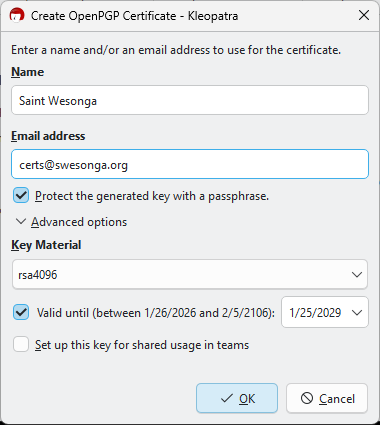
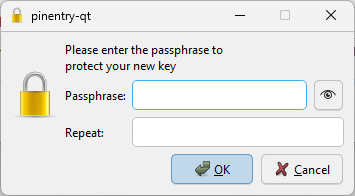
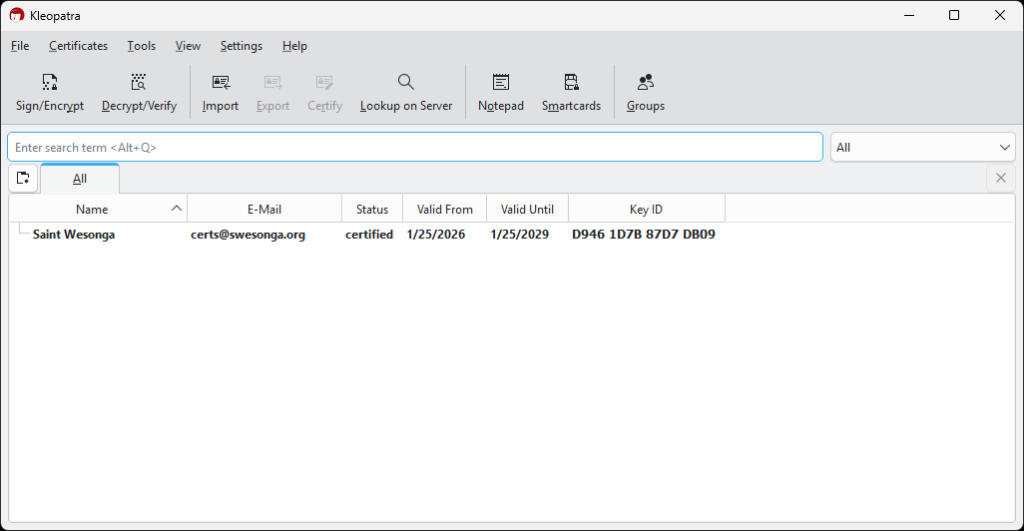
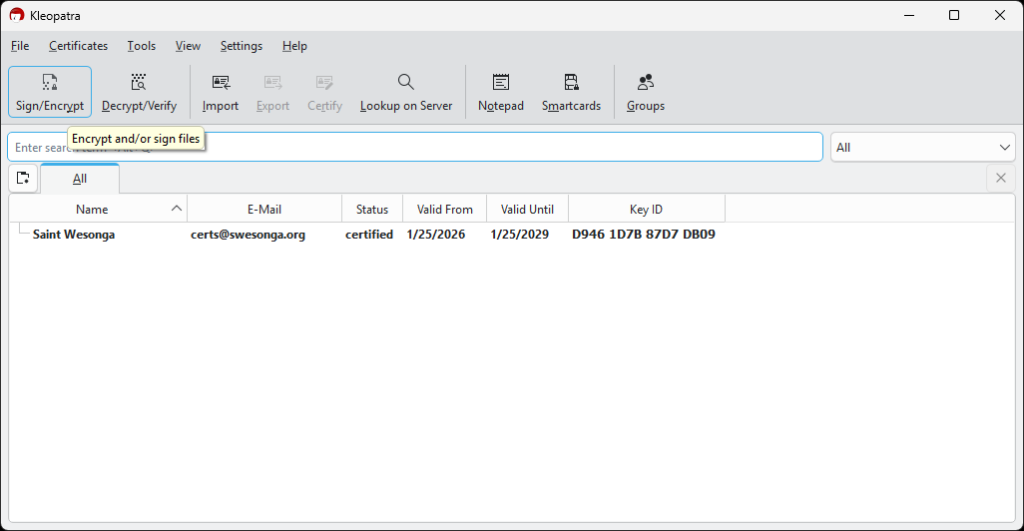
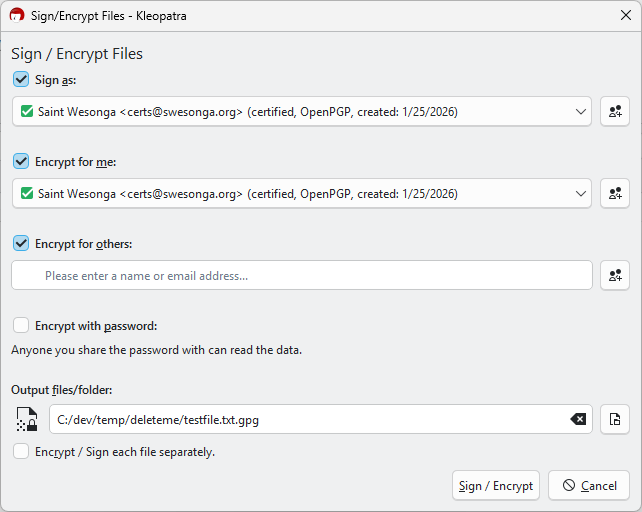
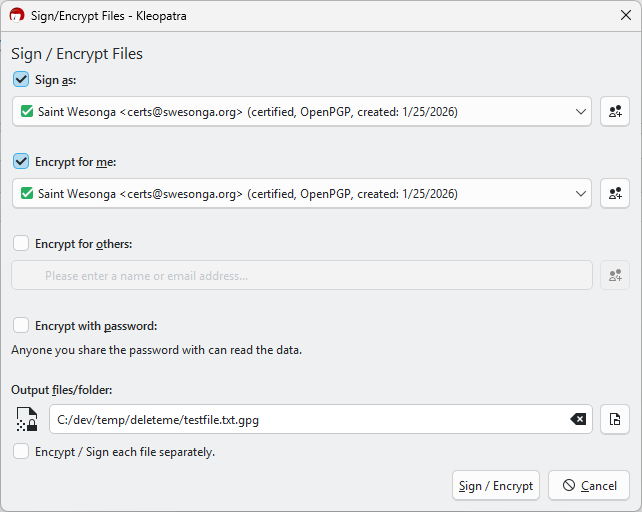
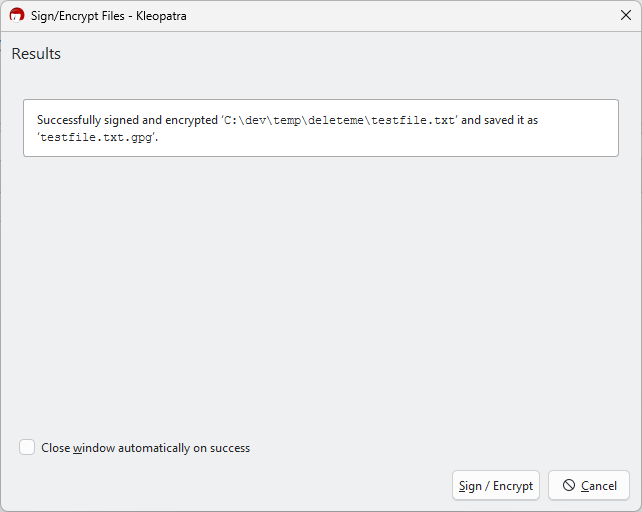
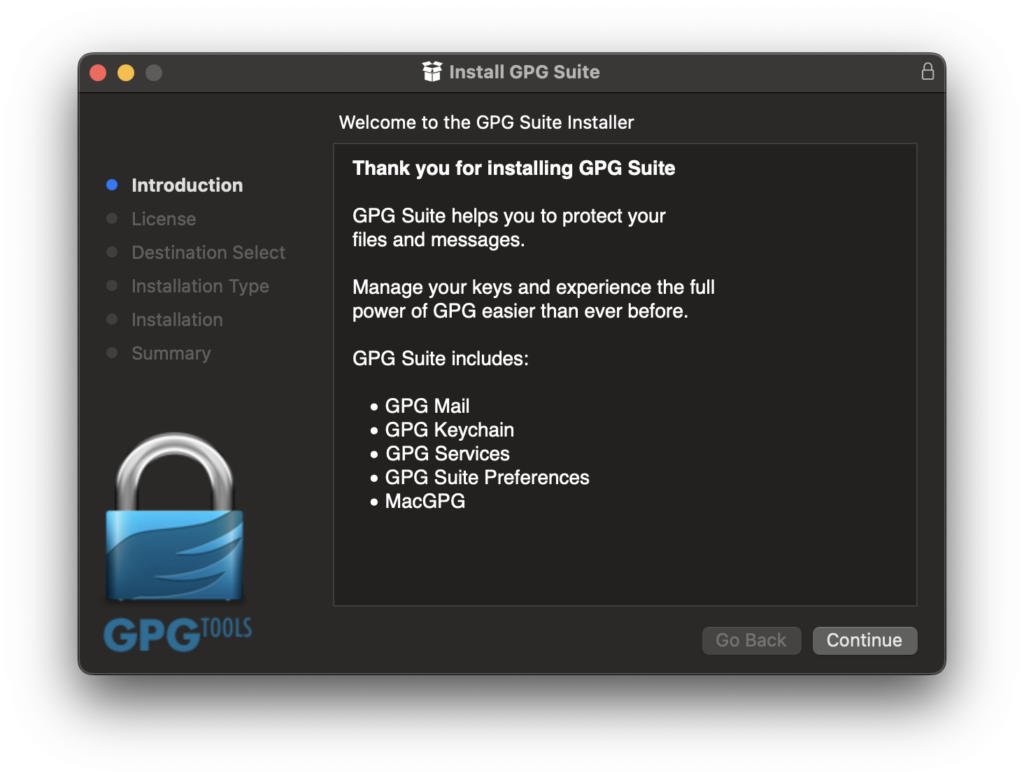
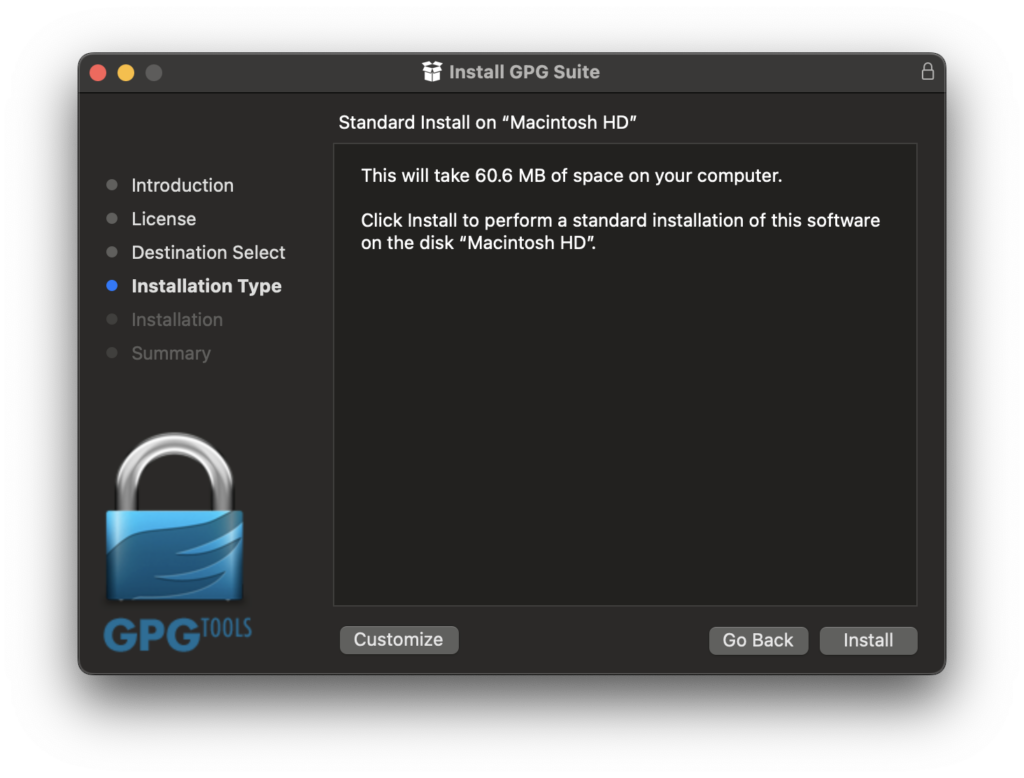
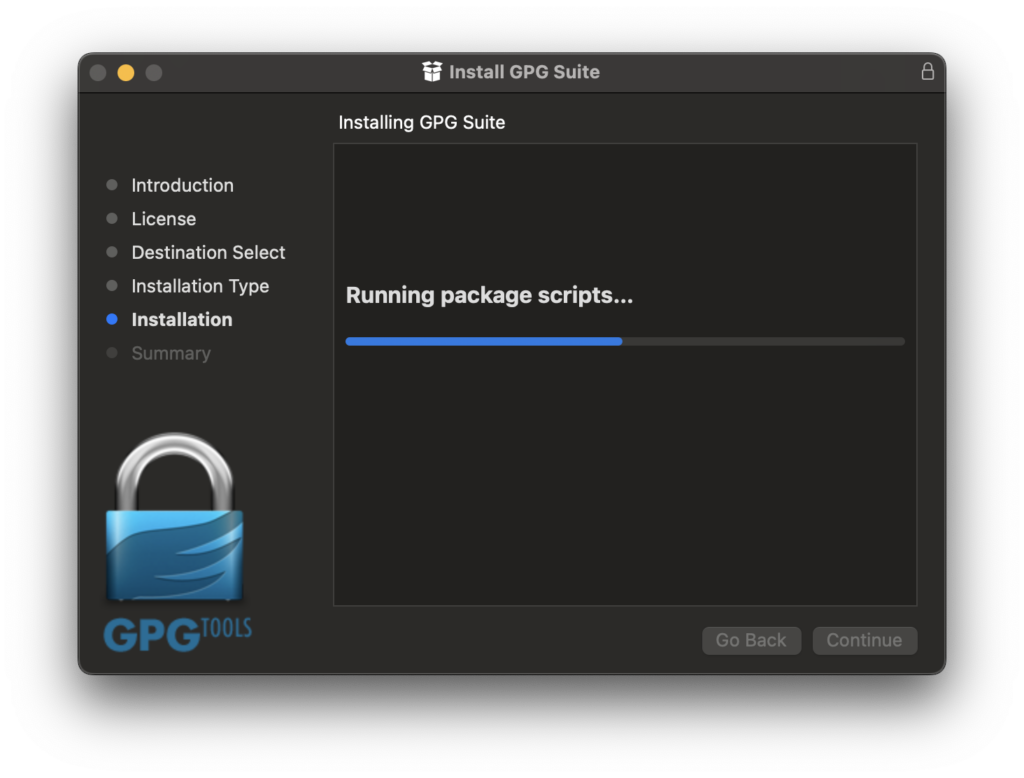
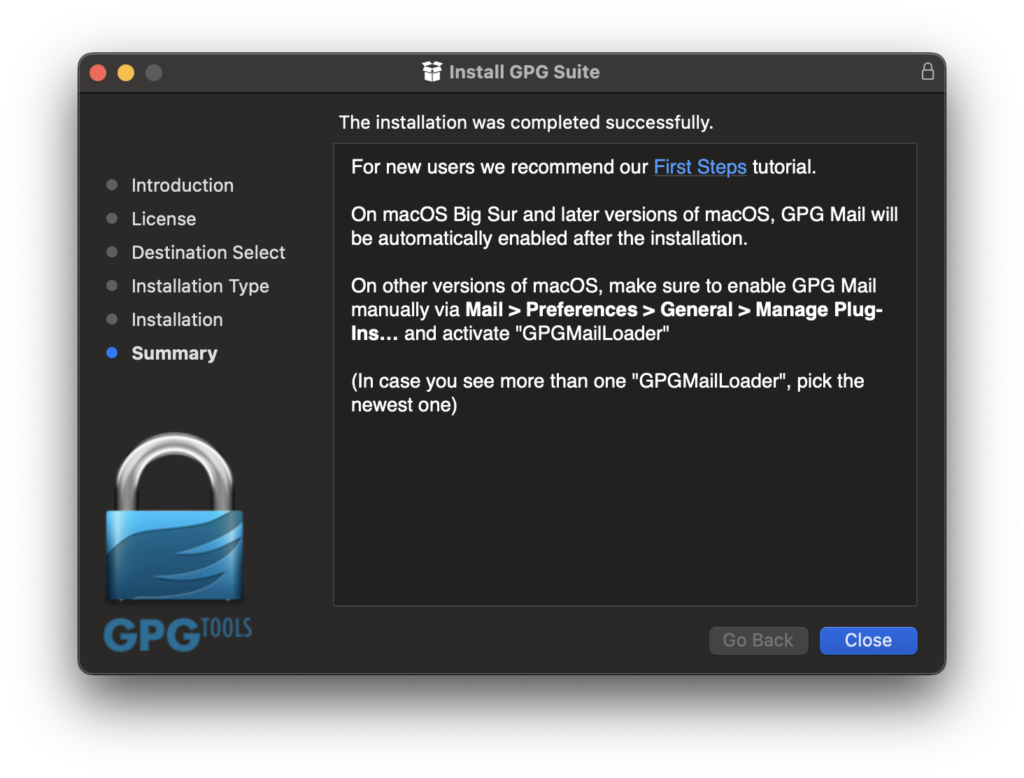
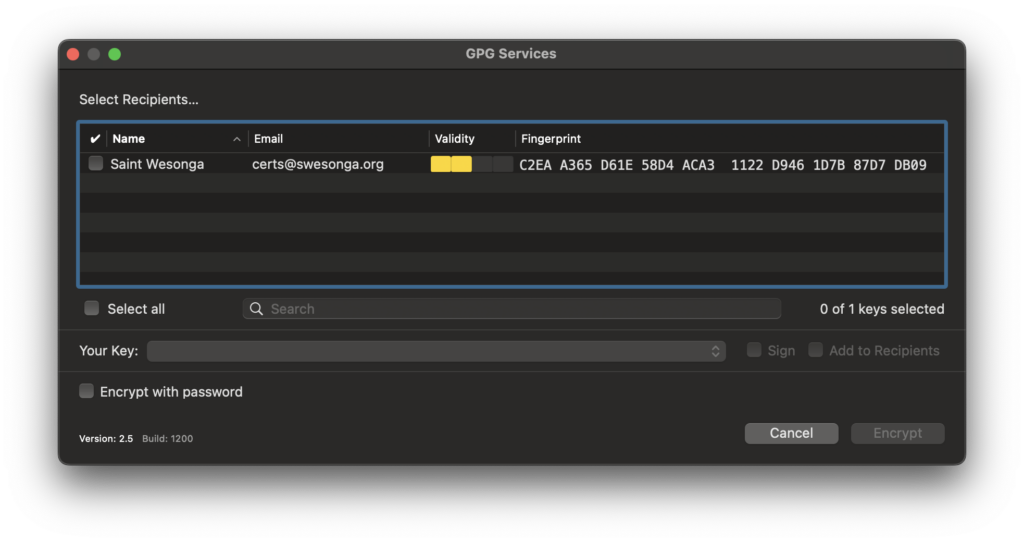
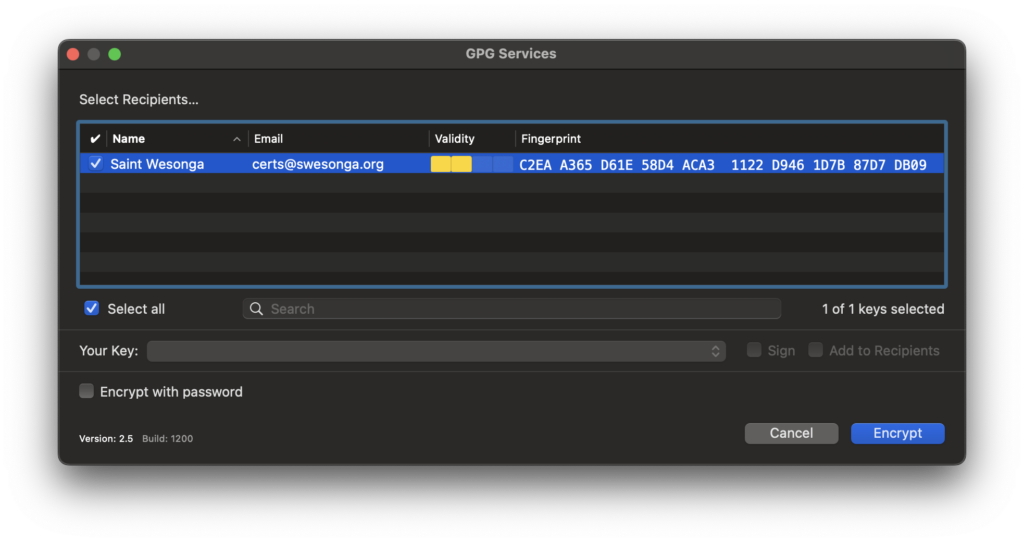
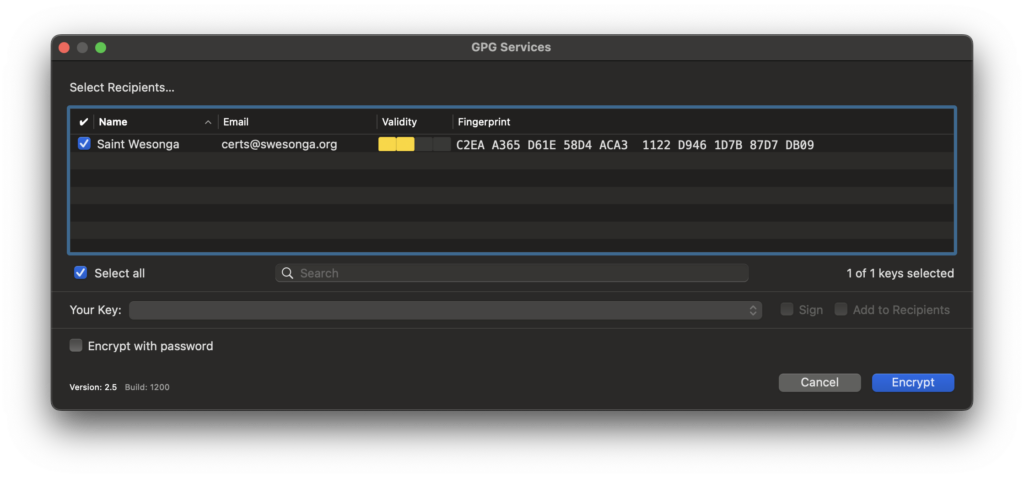
I wanted to transfer files across machines last weekend using OneDrive without making the content available in unencrypted form in the cloud. From the encrypt files with pgp – Search, I went to the PGP Encrypt File | Microsoft Learn page. It linked to the GnuPG – Download page, where I got Gpg4win. This post shows (via screenshots) the process of installing the software on Windows and macOS and encrypting and decrypting a file.
I created a simple text file to test encryption as shown in the next slideshow.
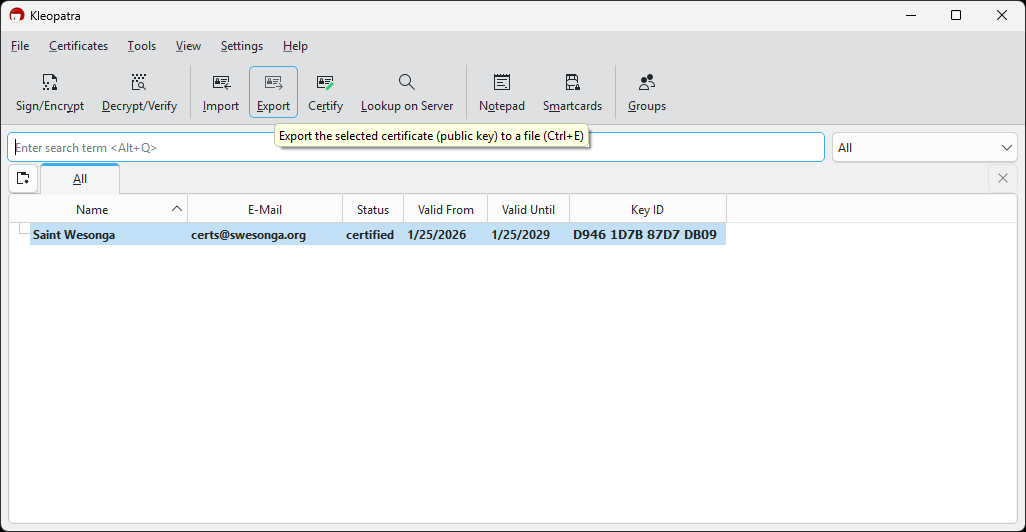
Since my goal was to encrypt files on my MacBook, I exported the certificate for use on other machines. The certificate was saved as a .asc file.
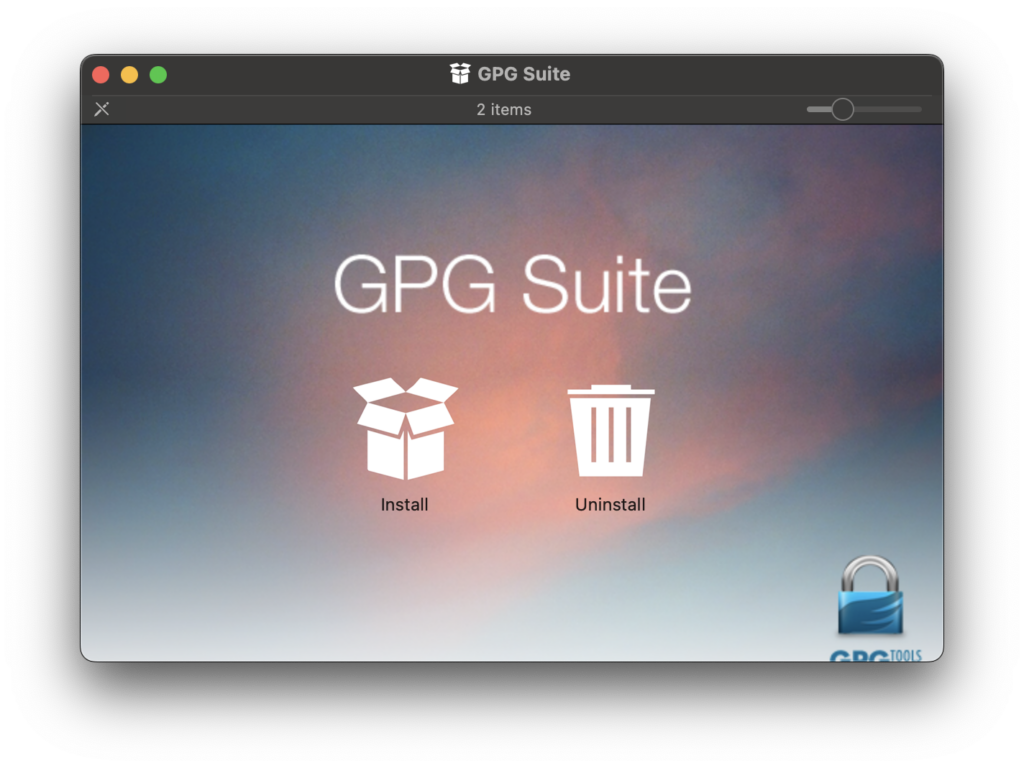
GPG Suite macOS Setup
I decided to use the GPG Suite on macOS.
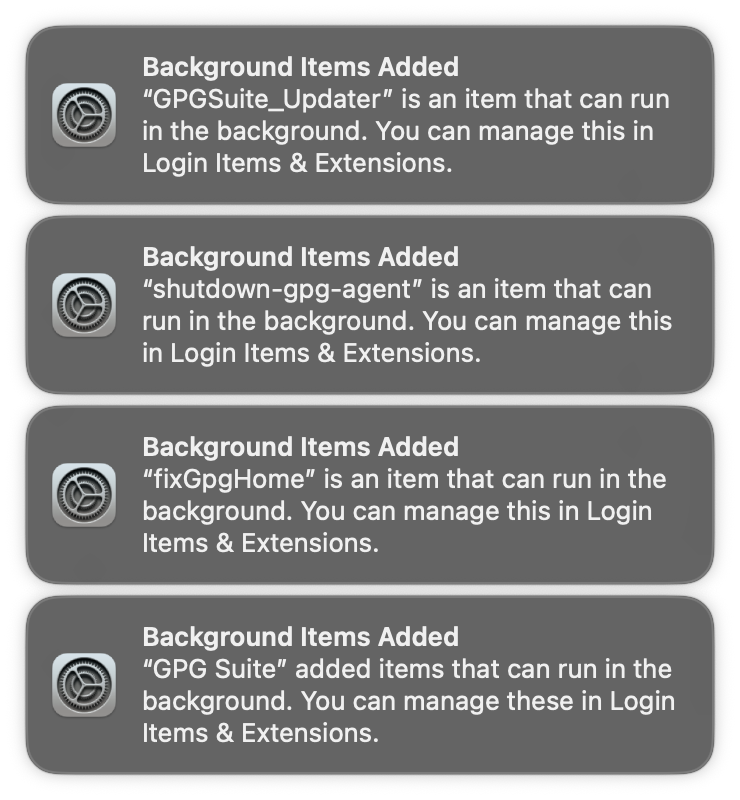
Some services were added to the OS by the installation process. What on earth are these services?
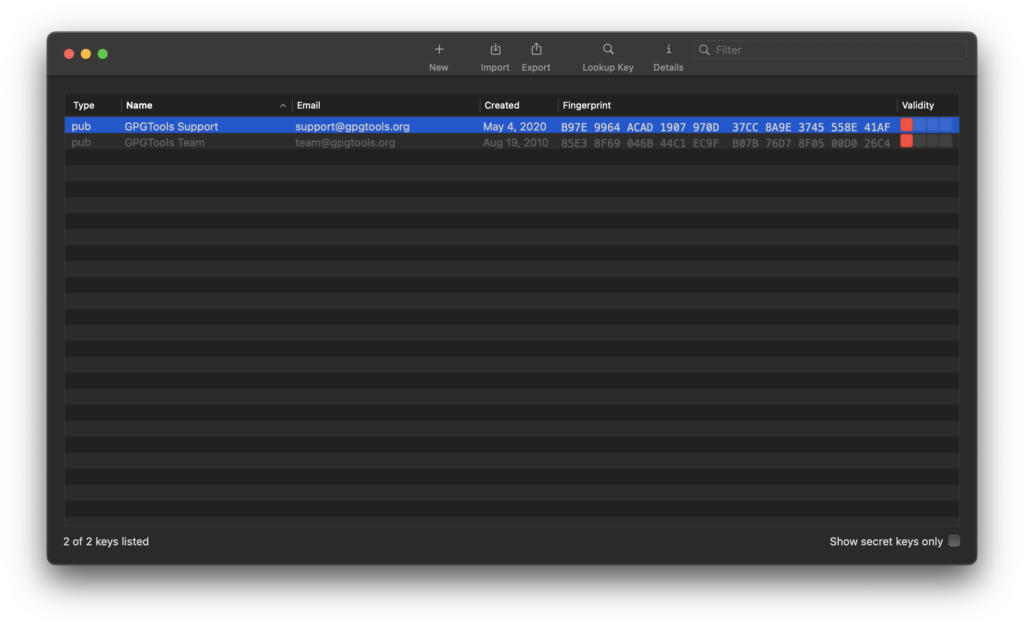
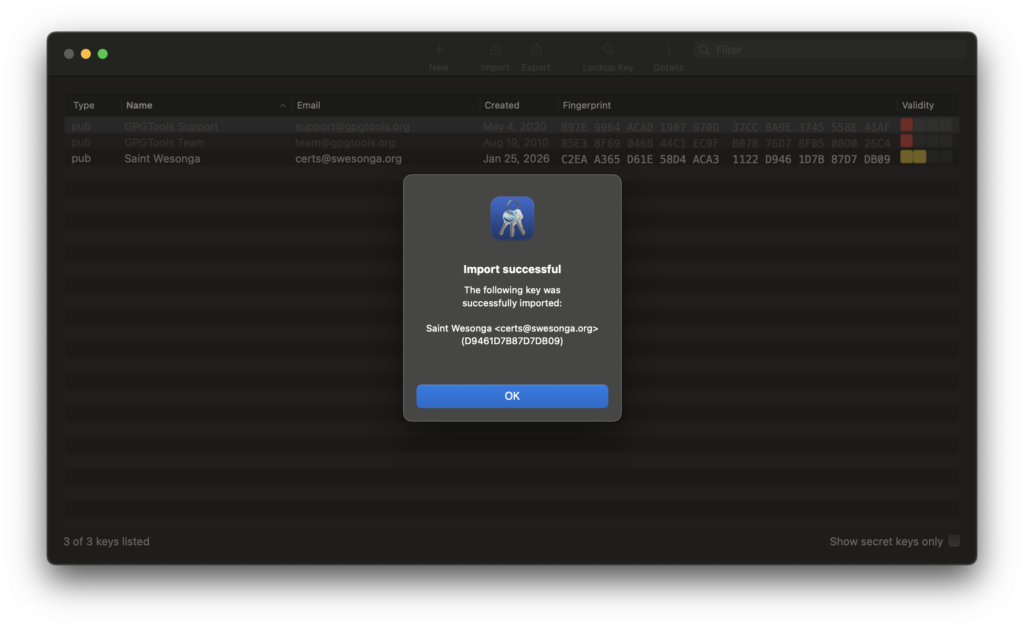
The main window of the GPG Keychain app is shown below. I successfully imported the certificate I created on my Windows machine.
File Encryption Process
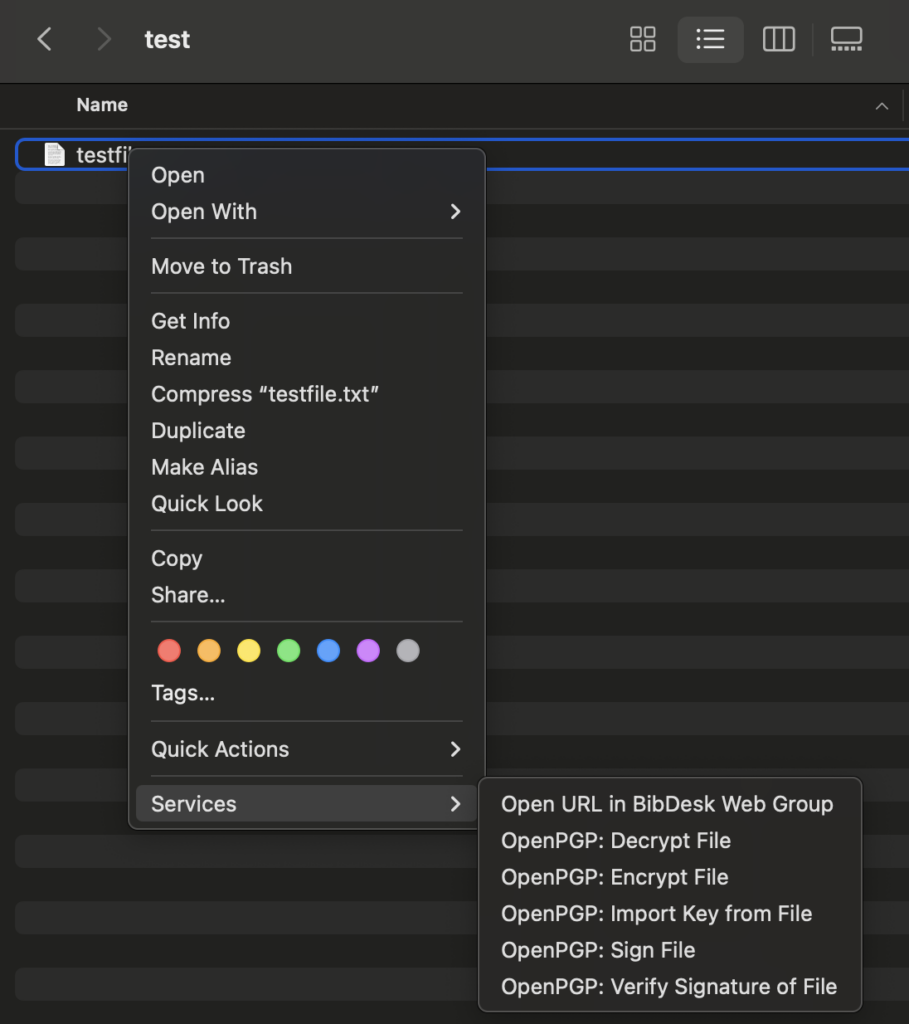
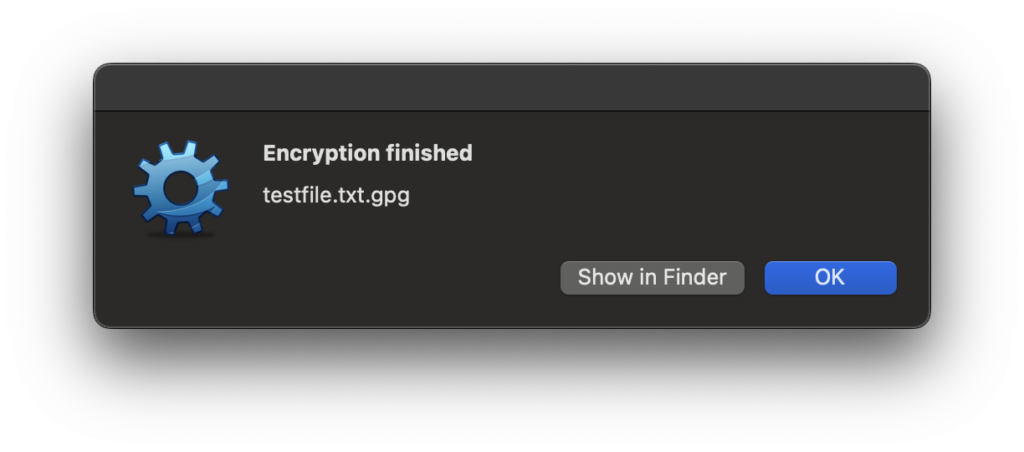
I created a test file and noticed that the OpenPGP options included an Encrypt File option. It was a straightforward process.
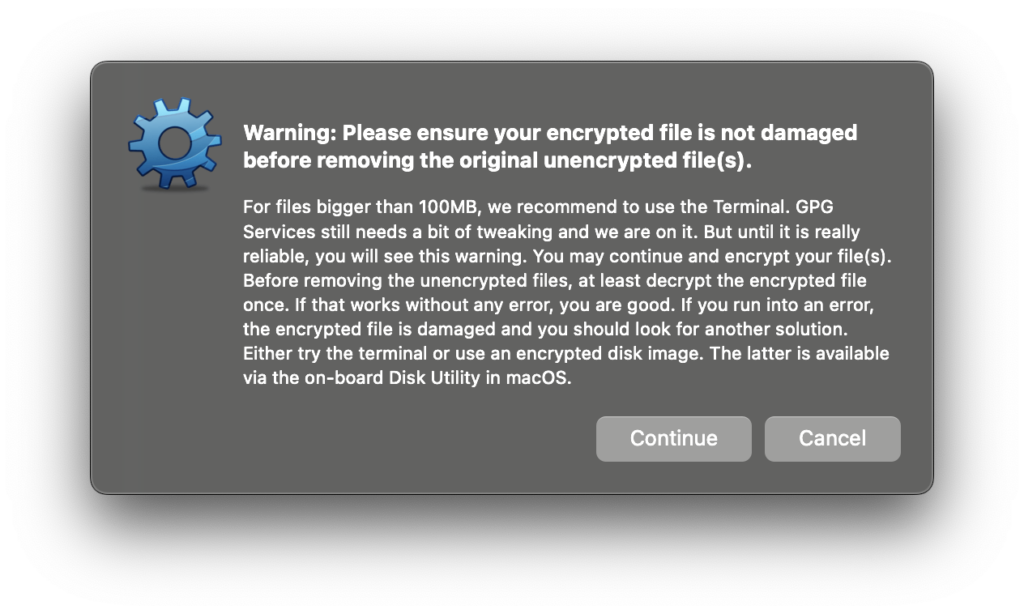
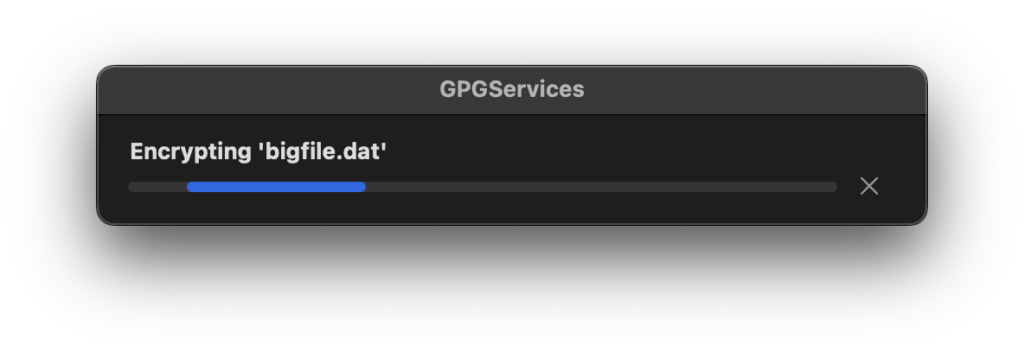
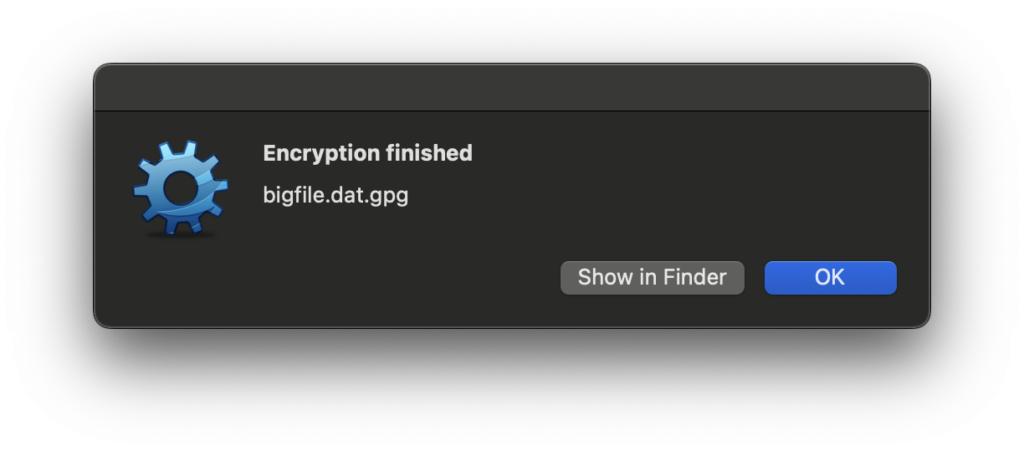
However, I was troubled by the dialog below, which popped up when I tried to encrypt a large (multiple GB) file. My thinking was that any software that handles files should either be correct or not in the business of handling files! However, I let it proceed and verified that the SHA256 and SHA512 hashes of the unencrypted file matched those of the original file.
Gpg4win Decryption
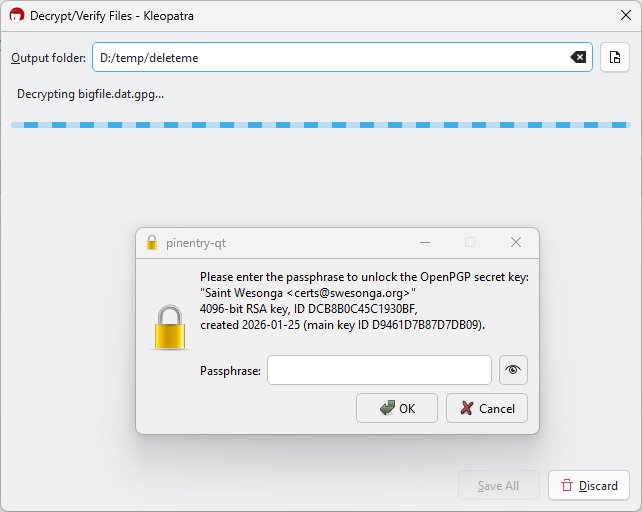
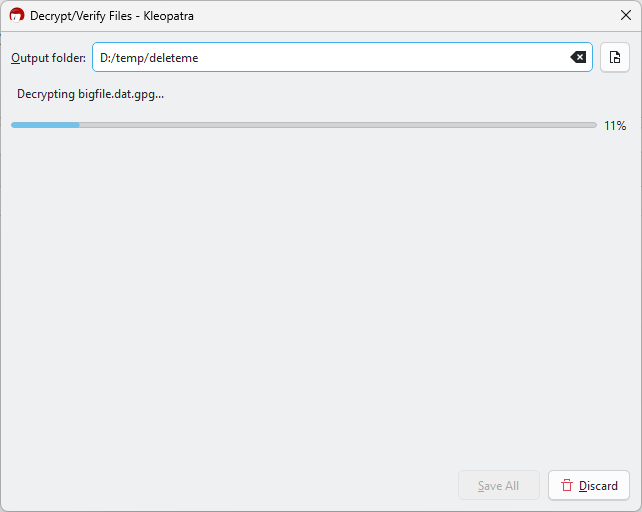
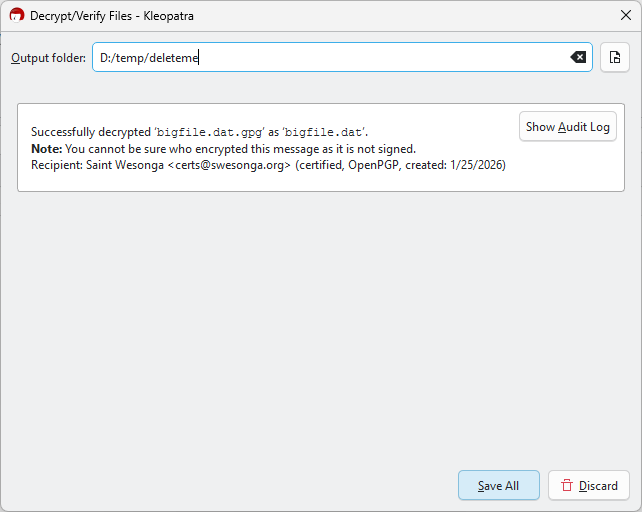
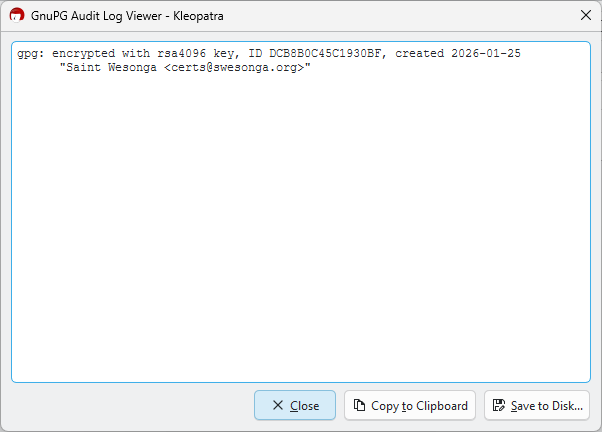
I copied the encrypted file to OneDrive and let it sync to my Windows machine where the decryption would take place. The only catch when decrypting using Kleopatra was that I needed to click on the Save All button when the dialog said it has successfully decrypted the file (otherwise the file wouldn’t be on disk)!
As mentioned earlier, I also verified that the hashes of the unencrypted file were identical to those of the original. At this point, I think the encrypted email features might be worth trying sooner or later. I just don’t have confidence in the services that were added to the OS (esp. since I saw high CPU usage on the machine long past the unencryption time).
Below are some example commands showing how to which assembly instruction to use in the SpinWait() call and how many of them should be used. On my Surface Pro X, the SB instruction is not supported. A good post to read about various barrier instructions is The AArch64 processor (aka arm64), part 14: Barriers – The Old New Thing.
$ $JDKTOTEST/bin/java -Xcomp -XX:-TieredCompilation -XX:+UnlockDiagnosticVMOptions -XX:OnSpinWaitInst=sb ProducerConsumerLoops
Error occurred during initialization of VM
OnSpinWaitInst is SB but current CPU does not support SB instruction

$ $JDKTOTEST/bin/java -Xcomp -XX:-TieredCompilation -XX:+UnlockDiagnosticVMOptions -XX:OnSpinWaitInst=nop -XX:OnSpinWaitInstCount=5 ProducerConsumerLoops
The snippet below shows the 4 instructions in the spin_wait stub if the isb instruction is selected with a count of 3 (after copying the Linux SpinPause implementation). Whether or not this is a good idea is not the point, this is about showing what the flags do.
000001800B9D0700  isb         sy
000001800B9D0704  isb         sy
000001800B9D0708  isb         sy
000001800B9D070C  ret

extern "C" {
  int SpinPause() {
00007FFAB97A5CF8  stp         fp,lr,[sp,#-0x20]!
00007FFAB97A5CFC  mov         fp,sp
    using spin_wait_func_ptr_t = void (*)();
    spin_wait_func_ptr_t func = CAST_TO_FN_PTR(spin_wait_func_ptr_t, StubRoutines::aarch64::spin_wait());
00007FFAB97A5D00  bl          StubRoutines::aarch64::spin_wait (07FFAB97A63B8h)+#0xFFFF8005DA859DF6
00007FFAB97A5D04  mov         x8,x0
00007FFAB97A5D08  str         x8,[sp,#0x10]
    assert(func != nullptr, "StubRoutines::aarch64::spin_wait must not be null.");
00007FFAB97A5D0C  mov         w8,#0
00007FFAB97A5D10  cmp         w8,#0
00007FFAB97A5D14  bne         SpinPause+34h (07FFAB97A5D2Ch)
00007FFAB97A5D18  bl          DebuggingContext::is_enabled (07FFAB8619D18h)+#0xFFFF8005DF5832E8
00007FFAB97A5D1C  uxtb        w8,w0
00007FFAB97A5D20  mov         w8,w8
00007FFAB97A5D24  cmp         w8,#0
00007FFAB97A5D28  bne         SpinPause+74h (07FFAB97A5D6Ch)
00007FFAB97A5D2C  ldr         x8,[sp,#0x10]
00007FFAB97A5D30  cmp         x8,#0
00007FFAB97A5D34  bne         SpinPause+74h (07FFAB97A5D6Ch)
00007FFAB97A5D38  adrp        x8,g_assert_poison (07FFABAA80F88h)+#0xFFFF800635588740
00007FFAB97A5D3C  ldr         x9,[x8,g_assert_poison (07FFABAA80F88h)+#0xFFFF80063E9FB581]
00007FFAB97A5D40  mov         w8,#0x58
00007FFAB97A5D44  strb        w8,[x9]
00007FFAB97A5D48  adrp        x8,siglabels+690h (07FFABA5C5000h)
00007FFAB97A5D4C  add         x3,x8,#0x450
00007FFAB97A5D50  adrp        x8,siglabels+690h (07FFABA5C5000h)
00007FFAB97A5D54  add         x2,x8,#0x488
00007FFAB97A5D58  mov         w1,#0x128
00007FFAB97A5D5C  adrp        x8,siglabels+690h (07FFABA5C5000h)
00007FFAB97A5D60  add         x0,x8,#0x4B0
00007FFAB97A5D64  bl          report_vm_error (07FFAB8D15210h)+#0xFFFF8005DF046B1B
00007FFAB97A5D68  nop
00007FFAB97A5D6C  mov         w8,#0
00007FFAB97A5D70  cmp         w8,#0
00007FFAB97A5D74  bne         SpinPause+14h (07FFAB97A5D0Ch)
    (*func)();
00007FFAB97A5D78  ldr         x8,[sp,#0x10]
00007FFAB97A5D7C  blr         x8
    // If StubRoutines::aarch64::spin_wait consists of only a RET,
    // SpinPause can be considered implemented. There will be a sequence
    // of instructions for:
    // - call of SpinPause
    // - load of StubRoutines::aarch64::spin_wait stub pointer
    // - indirect call of the stub
    // - return from the stub
    // - return from SpinPause
    // So '1' always is returned.
    return 1;
00007FFAB97A5D80  mov         w0,#1
00007FFAB97A5D84  ldp         fp,lr,[sp],#0x20
00007FFAB97A5D88  ret
00007FFAB97A5D8C  ?? ??????
}
SpinPause is also used by the G1 collector as shown in the callstack below:
I recently wanted an LLVM build for Windows ARM64 so I followed the instructions from my post on Building LLVM for Windows ARM64 – Saint’s Log. Unfortunately, I didn’t indicate which commits I built when I wrote that post so this time I started at commit [clang-tools-extra] Update Maintainers for Clang-Doc (#175822) · llvm/llvm-project@feeb934a3c4d825cd673f01416c39ca73ede170f. I briefly considered using the release branch instead but plowed ahead on this commit. My host platform was a Windows 11 x64 machine. I had no trouble building the native x64 LLVM configuration. The build command ended with this line: -- Installing: D:/repos/llvm/llvm-project/build_llvm/install_local/cmake/llvm/LLVMConfigExtensions.cmake, which showed that the install step succeeded. Unfortunately, I had a few hiccups with the Windows AArch64 cross-compilation.
Windows AArch64 Build Installation Error
The build failed and this was the tail of the build output:
This was strange. Why was the build trying to write into C:/Program Files (x86)/LLVM when this is an AArch64 build, setting aside that the install location was specified on the command line? The head of build_llvm/cmake/modules/cmake_install.cmake at that point is shown below:
# Install script for directory: D:/repos/llvm/llvm-project/llvm/cmake/modules

# Set the install prefix
if(NOT DEFINED CMAKE_INSTALL_PREFIX)
  set(CMAKE_INSTALL_PREFIX "D:/repos/llvm/llvm-project/build_llvm/install_local")
endif()
string(REGEX REPLACE "/$" "" CMAKE_INSTALL_PREFIX "${CMAKE_INSTALL_PREFIX}")
The corresponding head of build_llvm_AArch64/cmake/modules/cmake_install.cmake set CMAKE_INSTALL_PREFIX to the problematic path!
# Install script for directory: D:/repos/llvm/llvm-project/llvm/cmake/modules

# Set the install prefix
if(NOT DEFINED CMAKE_INSTALL_PREFIX)
  set(CMAKE_INSTALL_PREFIX "C:/Program Files (x86)/LLVM")
endif()
string(REGEX REPLACE "/$" "" CMAKE_INSTALL_PREFIX "${CMAKE_INSTALL_PREFIX}")
build_llvm/cmake/modules/CMakeFiles/LLVMConfig.cmake contained (among other things) these 3 lines:
The missing LLVM_TARGET_TRIPLE value prompted me to replace -DLLVM_DEFAULT_TARGET_TRIPLE=aarch64-win32-msvc with -DLLVM_TARGET_TRIPLE=aarch64-win32-msvc as follows:
cd llvm-project
mkdir build_llvm_AArch64
cd build_llvm_Aarch64

cmake ../llvm -DLLVM_TARGETS_TO_BUILD:STRING=AArch64 \
 -DCMAKE_BUILD_TYPE:STRING=Release \
 -DCMAKE_INSTALL_PREFIX=install_local \
 -DCMAKE_CROSSCOMPILING=True \
 -DLLVM_TARGET_ARCH=AArch64 \
 -DLLVM_NM=D:/repos/llvm-project/build_llvm/install_local/bin/llvm-nm.exe \
 -DLLVM_TABLEGEN=D:/repos/llvm-project/build_llvm/install_local/bin/llvm-tblgen.exe \
 -DLLVM_TARGET_TRIPLE=aarch64-win32-msvc \
 -A ARM64 \
 -T host=x64
The triple was still empty! That was my clue that something else was wrong and that I needed to take a step back. Turns out I was pasting the bash command into the Developer Command Prompt! Running it as follows was the solution!
cd llvm-project
mkdir build_llvm_AArch64
cd build_llvm_Aarch64

cmake ../llvm -DLLVM_TARGETS_TO_BUILD:STRING=AArch64 -DCMAKE_BUILD_TYPE:STRING=Release -DCMAKE_INSTALL_PREFIX=install_local -DCMAKE_CROSSCOMPILING=True -DLLVM_TARGET_ARCH=AArch64 -DLLVM_NM=D:/repos/llvm-project/build_llvm/install_local/bin/llvm-nm.exe -DLLVM_TABLEGEN=D:/repos/llvm-project/build_llvm/install_local/bin/llvm-tblgen.exe -DLLVM_DEFAULT_TARGET_TRIPLE=aarch64-win32-msvc -A ARM64 -T host=x64
It was at this point that I noticed a warning I had ignored:
D:\repos\llvm\llvm-project\build_llvm_AArch64> cmake ../llvm -DLLVM_TARGETS_TO_BUILD:STRING=AArch64 \
CMake Warning:
  Ignoring extra path from command line:

   "\"


-- Building for: Visual Studio 17 2022
-- Selecting Windows SDK version 10.0.26100.0 to target Windows 10.0.26200.
-- The C compiler identification is MSVC 19.44.35222.0
-- The CXX compiler identification is MSVC 19.44.35222.0
-- The ASM compiler identification is MSVC
Invalid llvm-tblgen Paths
I could now build with cmake --build . --config Release --target install but the build fails with lots of MSB8066 errors.
...
  2>Building ARMTargetParserDef.inc...
  The system cannot find the path specified.
  4>Building RISCVTargetParserDef.inc...
  The system cannot find the path specified.
  The system cannot find the batch label specified - VCEnd
C:\Program Files\Microsoft Visual Studio\2022\Enterprise\MSBuild\Microsoft\VC\v170\Microsoft.CppCommon.targets(237,5): error MSB8066: Custom build for 'D:\repos\llvm\llvm-project\build3_llvm_AArch64\CMakeFiles\4a6077c6d000b51855bb580d5619439e\ARMTargetParserDef.inc.rule' exited
with code 1. [D:\repos\llvm\llvm-project\build3_llvm_AArch64\include\llvm\TargetParser\target_parser_gen.vcxproj]
  The system cannot find the batch label specified - VCEnd
  3>Building PPCGenTargetFeatures.inc...
C:\Program Files\Microsoft Visual Studio\2022\Enterprise\MSBuild\Microsoft\VC\v170\Microsoft.CppCommon.targets(237,5): error MSB8066: Custom build for 'D:\repos\llvm\llvm-project\build3_llvm_AArch64\CMakeFiles\4a6077c6d000b51855bb580d5619439e\RISCVTargetParserDef.inc.rule' exite
d with code 1. [D:\repos\llvm\llvm-project\build3_llvm_AArch64\include\llvm\TargetParser\target_parser_gen.vcxproj]
  The system cannot find the path specified.
  The system cannot find the batch label specified - VCEnd
C:\Program Files\Microsoft Visual Studio\2022\Enterprise\MSBuild\Microsoft\VC\v170\Microsoft.CppCommon.targets(237,5): error MSB8066: Custom build for 'D:\repos\llvm\llvm-project\build3_llvm_AArch64\CMakeFiles\4a6077c6d000b51855bb580d5619439e\PPCGenTargetFeatures.inc.rule' exite
d with code 1. [D:\repos\llvm\llvm-project\build3_llvm_AArch64\include\llvm\TargetParser\target_parser_gen.vcxproj]
...
Building that release still failed with the same error but at least I was now using a tag that’s easy to refer to instead of a random commit. I tried building the release/13.x branch since LLVM was at major version 13 when I wrote the post on how to do this build.
git checkout release/13.x
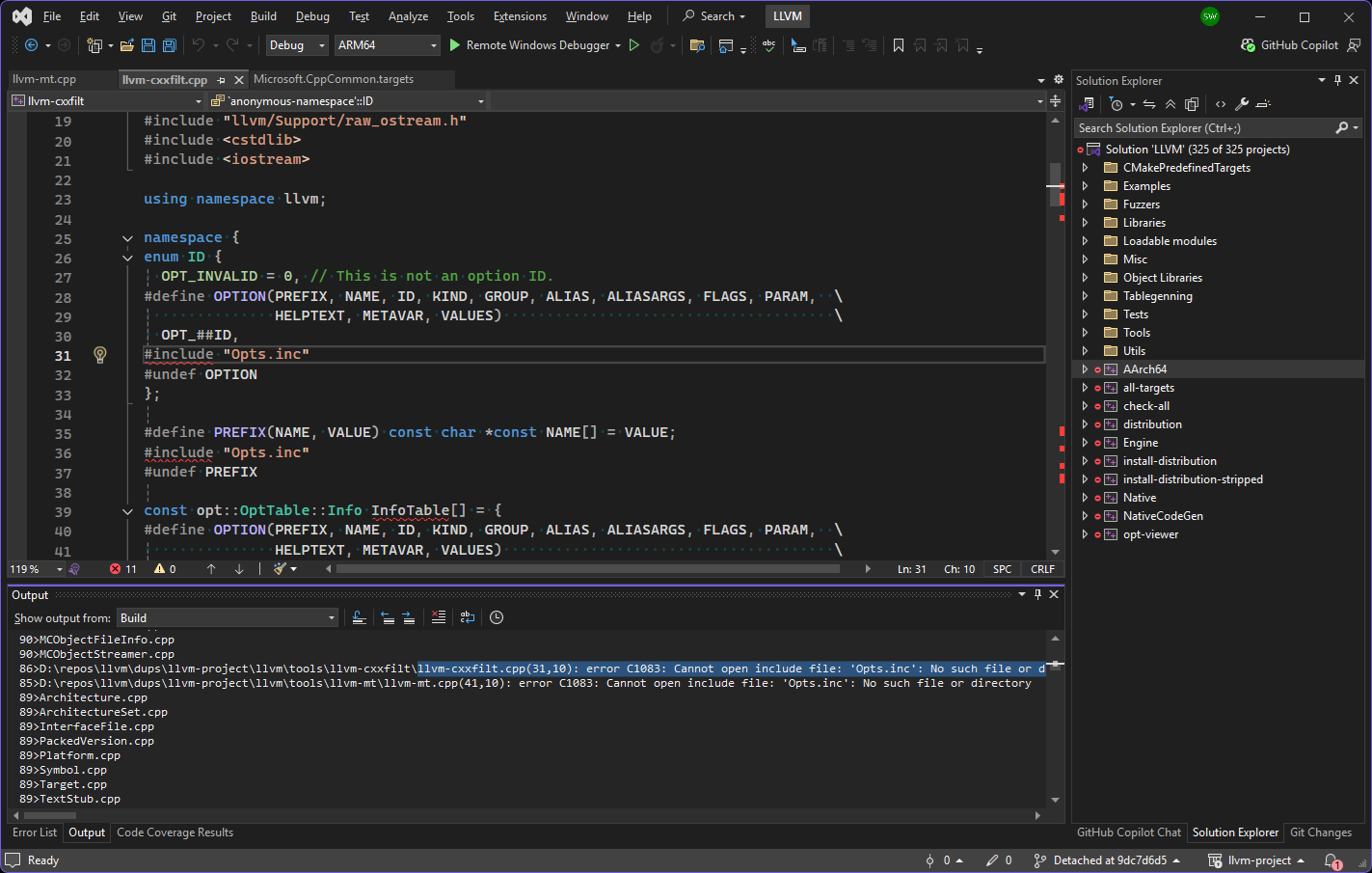
After getting the same error, I opened the project in Visual Studio 2022 and built it there to see if I could get a hint about which files are missing:
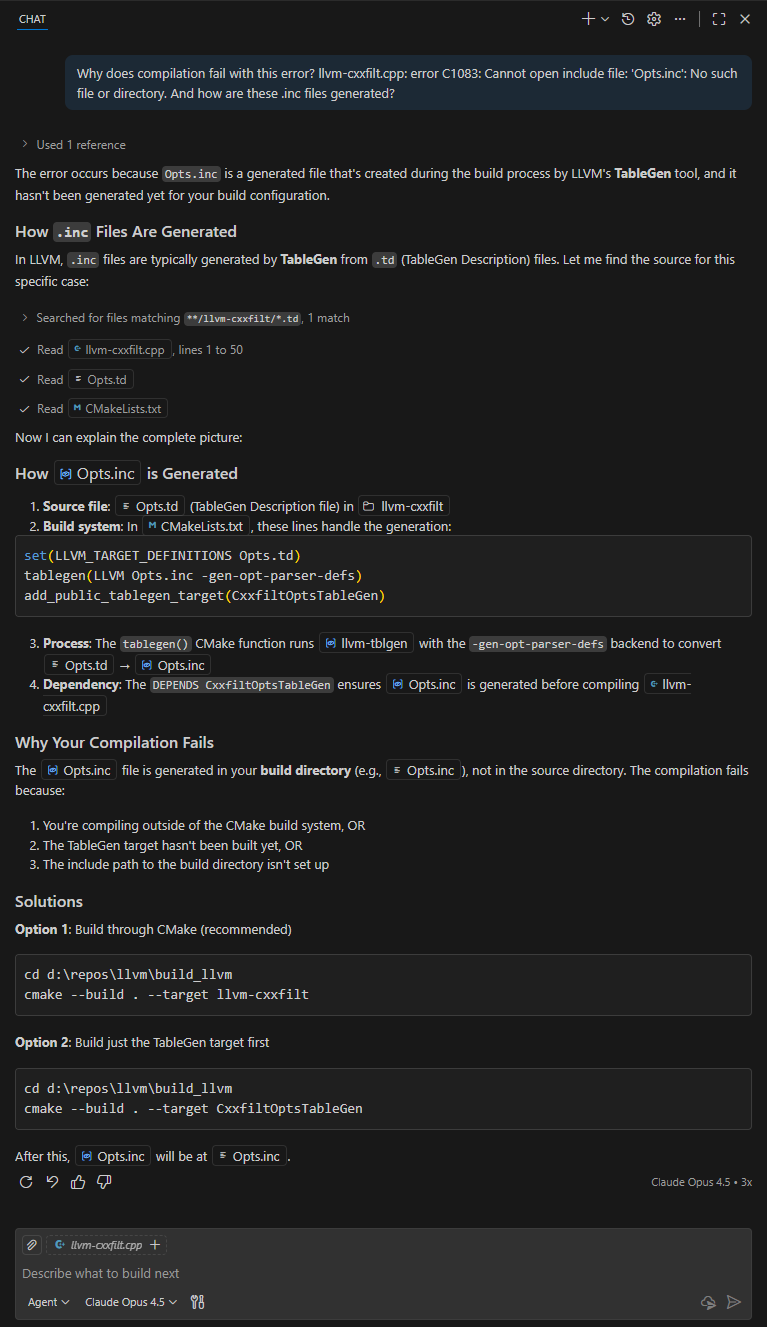
Seeing where the error was happening (above) made it easier to diagnose. This explanation from Copilot in VS Code was invaluable because it got me to verify that the table-gen executable path was valid (it wasn’t)!
I updated the build instructions to check the two EXE paths before calling cmake as follows:
mkdir build_llvm_AArch64
cd build_llvm_Aarch64

set LLVM_NM=D:\repos\llvm\llvm-project\build_llvm\install_local\bin\llvm-nm.exe
set LLVM_TABLEGEN=D:\repos\llvm\llvm-project\build_llvm\install_local\bin\llvm-tblgen.exe

dir %LLVM_NM%
dir %LLVM_TABLEGEN%

cmake ../llvm -DLLVM_TARGETS_TO_BUILD:STRING=AArch64 -DCMAKE_BUILD_TYPE:STRING=Release -DCMAKE_INSTALL_PREFIX=install_local -DCMAKE_CROSSCOMPILING=True -DLLVM_TARGET_ARCH=AArch64 -DLLVM_NM=%LLVM_NM% -DLLVM_TABLEGEN=%LLVM_TABLEGEN% -DLLVM_DEFAULT_TARGET_TRIPLE=aarch64-win32-msvc -A ARM64 -T host=x64

cmake --build . --config Release --target install
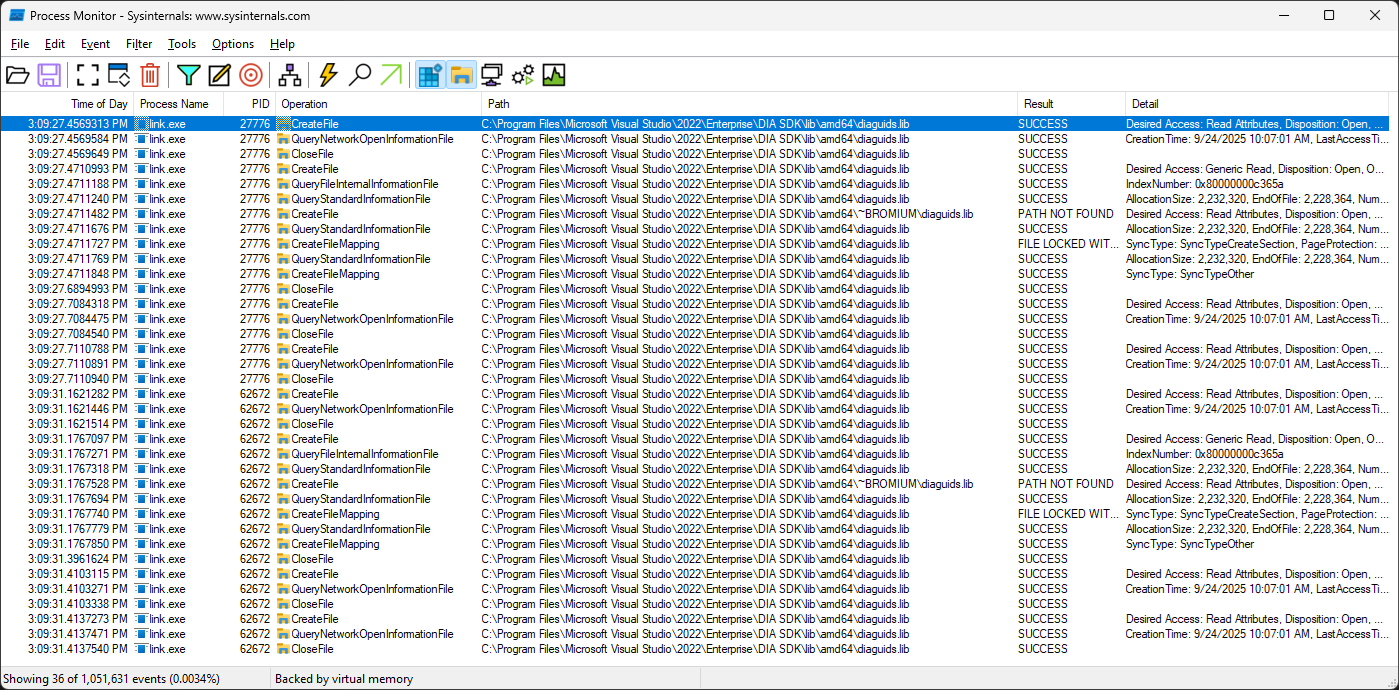
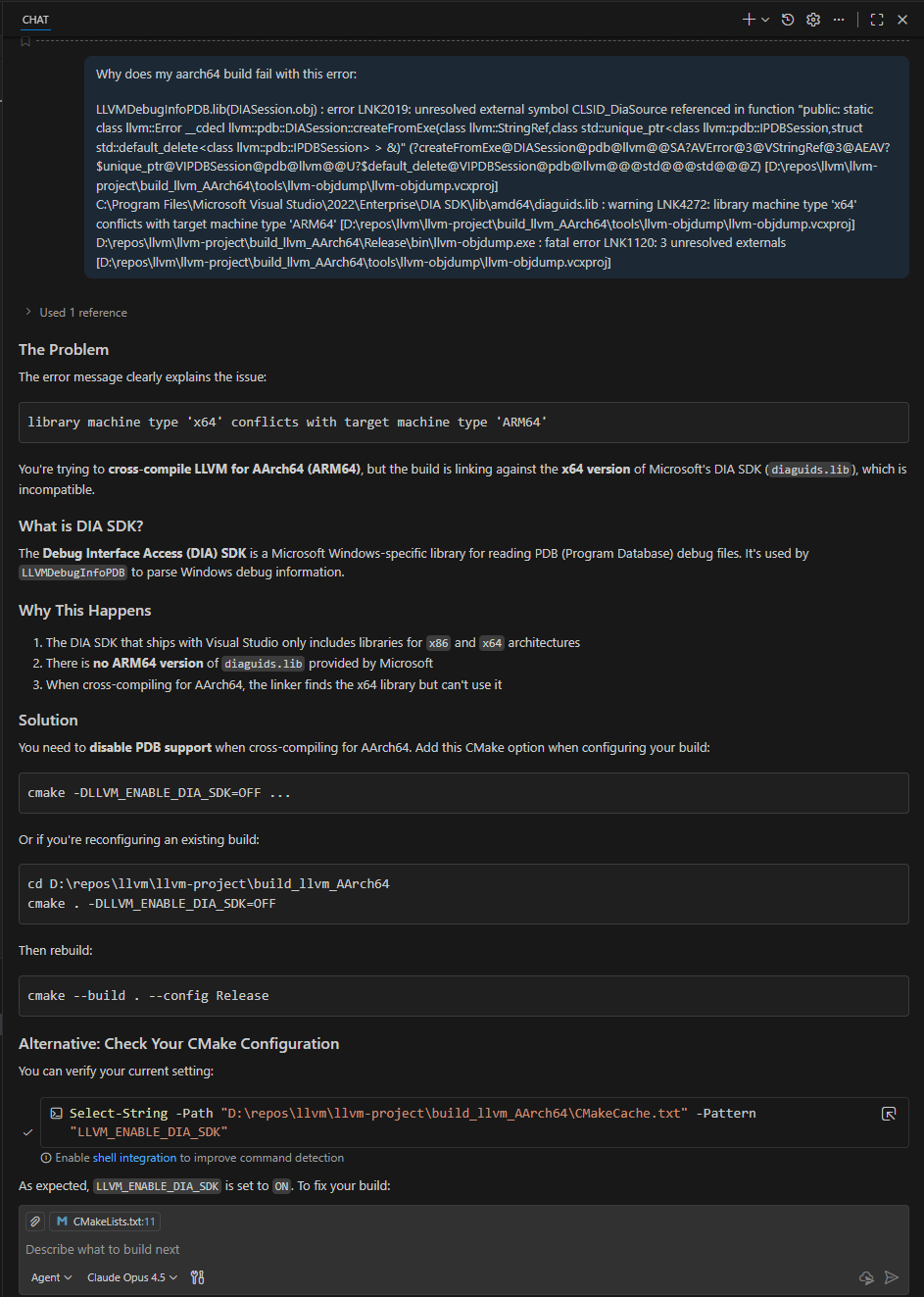
I asked copilot why this linker error was happening. The Claude Opus 4.5 agent stated that “There is no ARM64 version of diaguids.lib provided by Microsoft“.
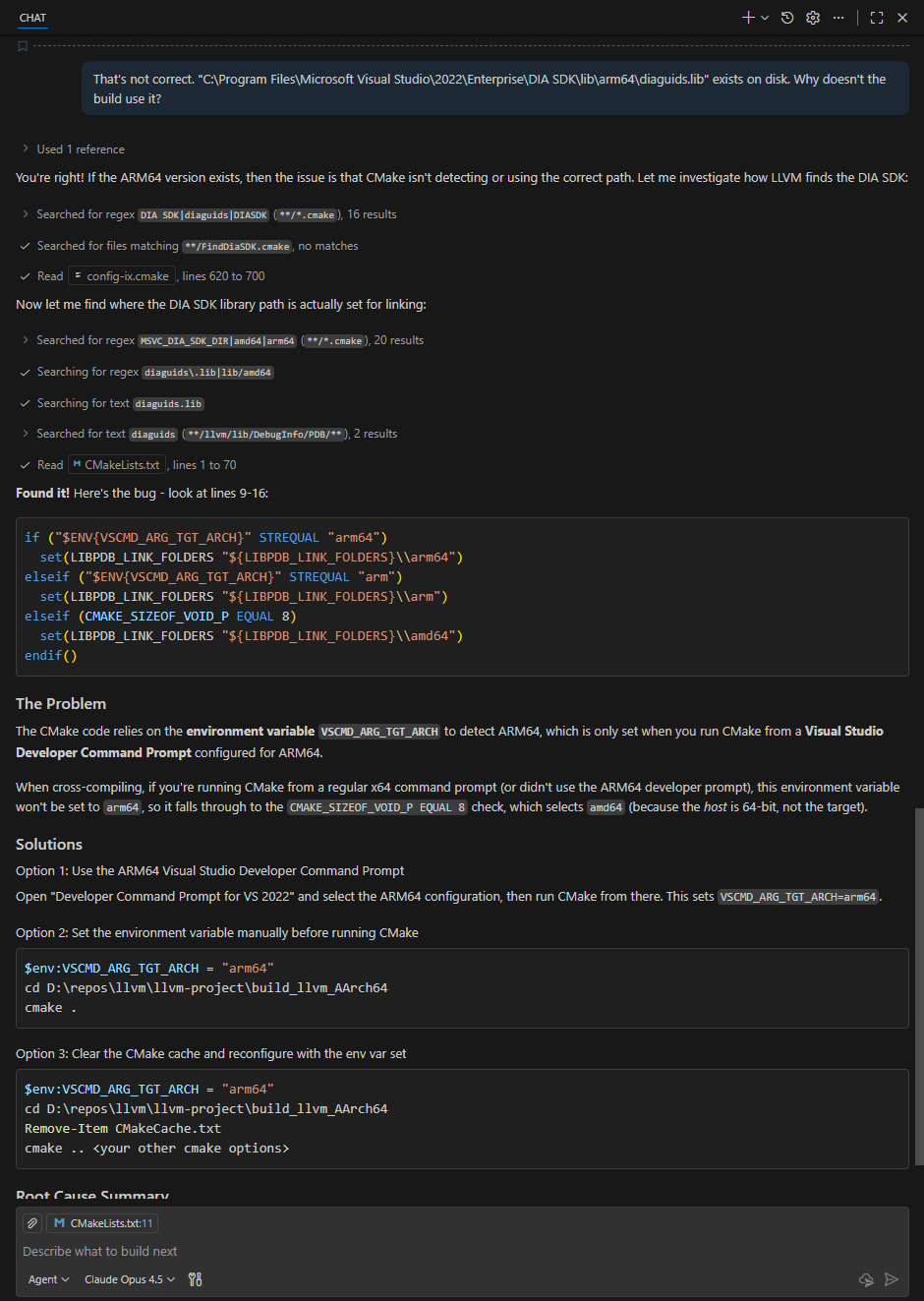
The DIA SDK aarch64 libraries – Search AI summary also claimed that “Microsoft does not ship prebuilt DIA SDK libraries for AArch64 (ARM64) targets” but this result, Getting Started (Debug Interface Access SDK) – Visual Studio (Windows) | Microsoft Learn, indicated otherwise. I verified that there was an arm64 equivalent path to the DIA on disk and continued with the prompt: “That’s not correct. “C:\Program Files\Microsoft Visual Studio\2022\Enterprise\DIA SDK\lib\arm64\diaguids.lib” exists on disk. Why doesn’t the build use it?“
This explanation made sense. Setting the environment variable before running the first cmake command resolved this issue:
set VSCMD_ARG_TGT_ARCH=arm64
The build then concluded successfully with this line: -- Installing: D:/repos/llvm/llvm-project/build_llvm_AArch64/install_local/lib/cmake/llvm/LLVMConfigExtensions.cmake
I am investigating a (Windows AArch64) test that passes on jdk17u but fails on jdk21u. I need to bisect to the first commit with a release build that fails this test. Unfortunately, Latest Releases | Adoptium doesn’t have Windows AArch64 builds between jdk17u and jdk21u so I had to build them myself. To find the commits for the intermediate releases, I used this command:
This let me identify the tag I needed on GitHub: openjdk/jdk at jdk-18-ga. I set up the jdk18u build option in my personal build script: Add config options for more jdk versions · swesonga/scratchpad@98ab982 and set up google/googletest at v1.14.0. Unfortunately, I got compilation errors stating that ‘FLAGS_gtest_internal_run_death_test’: is not a member of ‘testing::internal’. There were also errors about an identifier that could not be found in winnt.h. Here’s how I addressed them.
Identifier not found in winnt.h
There were errors in “C:\Program Files (x86)\Windows Kits\10\Include\10.0.26100.0\um\winnt.h” stating that the _CountOneBits64 identifier could not be found:
ERROR: Build failed for target 'images' in configuration 'windows-aarch64-server-release' (exit code 2)
Stopping sjavac server

=== Output from failing command(s) repeated here ===
* For target hotspot_variant-server_libjvm_gtest_launcher-objs_gtestLauncher.obj:
gtestLauncher.cpp
c:\progra~2\wi3cf2~1\10\include\100261~1.0\um\winnt.h(6343): error C3861: '_CountOneBits64': identifier not found
   ... (rest of output omitted)
* For target hotspot_variant-server_libjvm_gtest_objs_BUILD_GTEST_LIBJVM_pch.obj:
BUILD_GTEST_LIBJVM_pch.cpp
c:\progra~2\wi3cf2~1\10\include\100261~1.0\um\winnt.h(6343): error C3861: '_CountOneBits64': identifier not found
   ... (rest of output omitted)
* For target hotspot_variant-server_libjvm_libgtest_objs_gtest-all.obj:
gtest-all.cc
c:\progra~2\wi3cf2~1\10\include\100261~1.0\um\winnt.h(6343): error C3861: '_CountOneBits64': identifier not found
   ... (rest of output omitted)
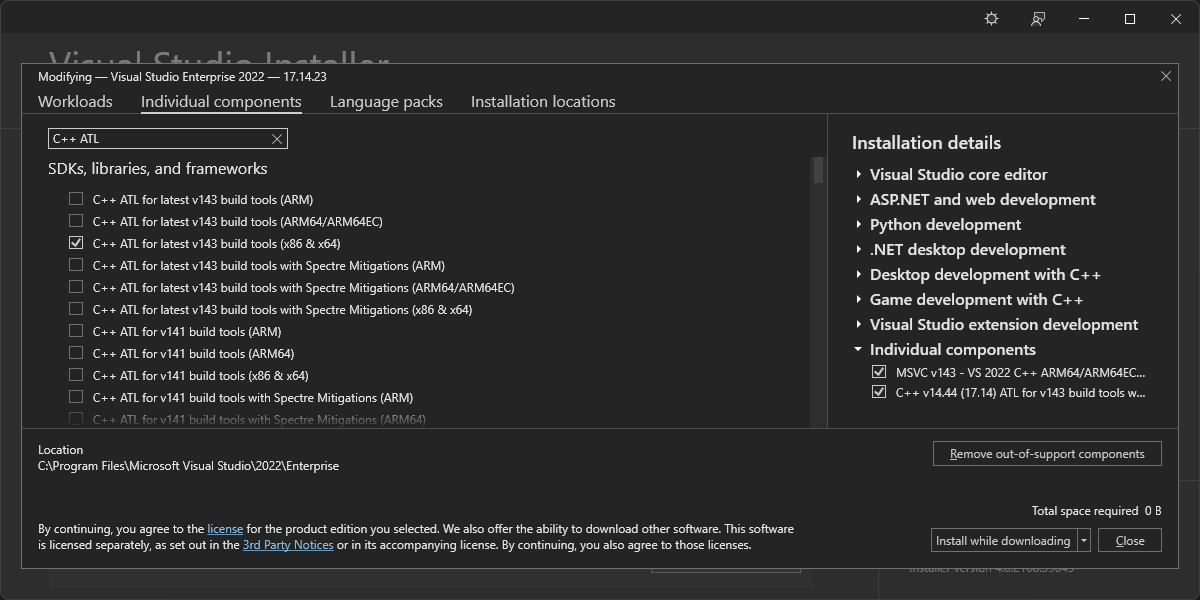
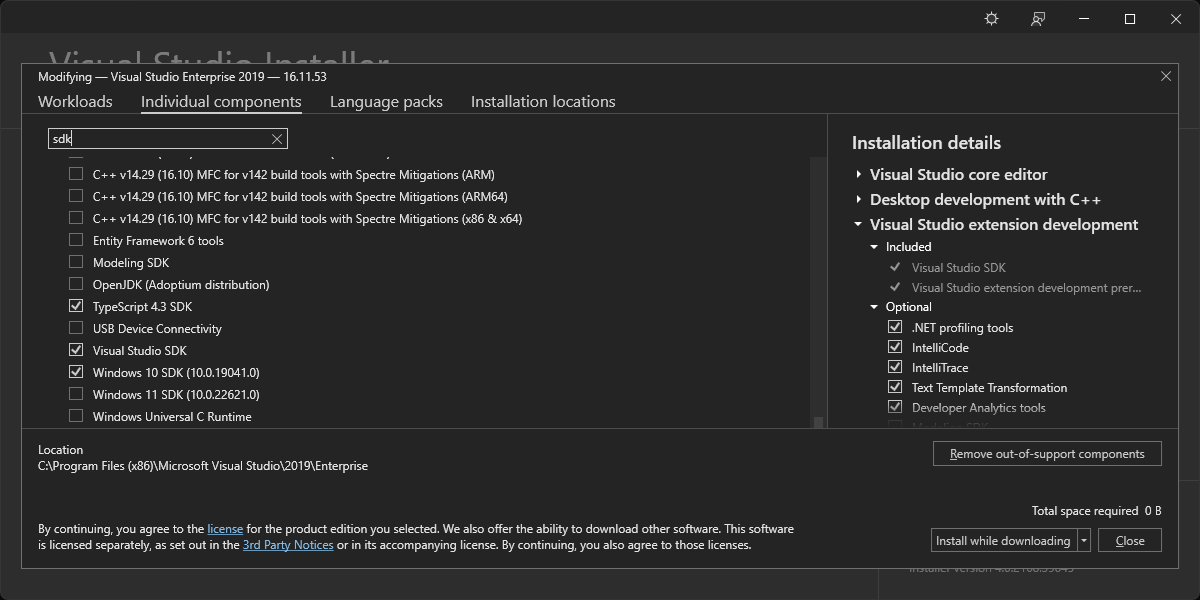
The Visual Studio 2019 installer showed only the Windows 10 SDK installed:
I set off on a journey of discovery, seeking to learn how the SDK is selected for the build.
VS_ENV_CMD is set in the TOOLCHAIN_CHECK_POSSIBLE_VISUAL_STUDIO_ROOT macro in toolchain_microsoft.m4 to the 64-bit path in the TOOLCHAIN_CHECK_POSSIBLE_VISUAL_STUDIO_ROOT macro. This path on my machine is “C:\Program Files\Microsoft Visual Studio\2022\Enterprise\VC\Auxiliary\Build\vcvarsamd64_arm64.bat“. It contains this line: @call "%~dp0vcvarsall.bat" x64_arm64 %*. This command calls the vcvarsall.bat file in the same directory. “build\windows-aarch64-server-release\configure-support\config.log” doesn’t seem to have any SDK-related output. vcvarsall.bat in turn calls “C:\Program Files\Microsoft Visual Studio\2022\Enterprise\Common7\Tools\VsDevCmd.bat“. I don’t think it passes the -winsdk argument. VsDevCmd.bat then calls “C:\Program Files\Microsoft Visual Studio\2022\Enterprise\Common7\Tools\vsdevcmd\core\winsdk.bat“, which has a GetWin10SdkDir function that is called if the VSCMD_ARG_WINSDK environment variable has not been set. GetWin10SdkDirHelper queries these locations:
HKLM\SOFTWARE\Wow6432Node
HKCU\SOFTWARE\Wow6432Node
HKLM\SOFTWARE
HKCU\SOFTWARE
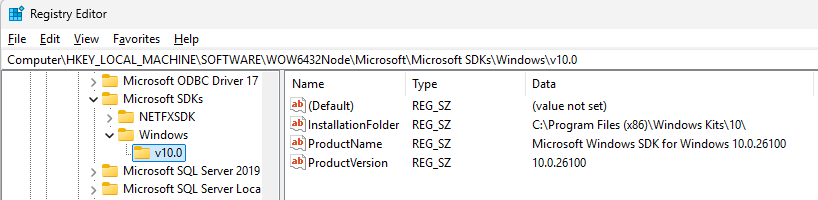
More specifically, it searches in the Microsoft\Microsoft SDKs\Windows\v10.0 subkey of each of them for the InstallationFolder value. The WindowsSdkDir environment variable is set to the value found here. It would be set to “C:\Program Files (x86)\Windows Kits\10\” on my machine (shown below).
I tried setting the environment variable before configuring the build but that didn’t work:
  AC_MSG_NOTICE([Trying to extract Visual Studio environment variables for $TARGET_CPU])
  AC_MSG_NOTICE([using $VS_ENV_CMD $VS_ENV_ARGS])
configure: Using default toolchain microsoft (Microsoft Visual Studio)
configure: Found Visual Studio installation at /cygdrive/c/progra~2/micros~3/2019/Enterprise using well-known name
configure: Found Microsoft Visual Studio 2019
configure: Trying to extract Visual Studio environment variables for aarch64
configure: using /cygdrive/c/progra~2/micros~3/2019/Enterprise/vc/auxiliary/build/vcvarsamd64_arm64.bat
configure: Setting extracted environment variables for aarch64
This shows that no arguments are passed to vcvarsamd64_arm64.bat (and therefore to vcvarsall.bat as well). Since vcvarsall.bat has logic that parses 10.* strings into the __VCVARSALL_WINSDK variable (to pass on to VsDevCmd.bat), I realized that I could just specify the SDK version when calling vcvarsamd64_arm64.bat. I used this diff (on commit 0f2113cee79):
diff --git a/make/autoconf/toolchain_microsoft.m4 b/make/autoconf/toolchain_microsoft.m4
index 2600b431cfb..a7d6aaae250 100644
--- a/make/autoconf/toolchain_microsoft.m4
+++ b/make/autoconf/toolchain_microsoft.m4
@@ -349,7 +349,7 @@ AC_DEFUN([TOOLCHAIN_EXTRACT_VISUAL_STUDIO_ENV],
   # We can't pass -vcvars_ver=$VCVARS_VER here because cmd.exe eats all '='
   # in bat file arguments. :-(
   $FIXPATH $CMD /c "$TOPDIR/make/scripts/extract-vs-env.cmd" "$VS_ENV_CMD" \
-      "$VS_ENV_TMP_DIR/set-vs-env.sh" $VCVARS_VER $VS_ENV_ARGS \
+      "$VS_ENV_TMP_DIR/set-vs-env.sh" $VCVARS_VER $VS_ENV_ARGS 10.0.22621.0 \
       > $VS_ENV_TMP_DIR/extract-vs-env.log | $CAT 2>&1
   PATH="$OLDPATH"
This enabled the build to use the SDK version I specified.
gtest undeclared identifier Error
The remaining build failures were related to gtests:
ERROR: Build failed for target 'images' in configuration 'windows-aarch64-server-release' (exit code 2)

=== Output from failing command(s) repeated here ===
* For target buildjdk_hotspot_variant-server_libjvm_gtest_objs_gtestMain.obj:
gtestMain.cpp
d:\java\forks\openjdk\jdk\test\hotspot\gtest\gtestMain.cpp(233): error C2039: 'FLAGS_gtest_internal_run_death_test': is not a member of 'testing::internal'
d:\repos\googletest\googlemock\include\gmock/gmock-nice-strict.h(80): note: see declaration of 'testing::internal'
d:\java\forks\openjdk\jdk\test\hotspot\gtest\gtestMain.cpp(233): error C2065: 'FLAGS_gtest_internal_run_death_test': undeclared identifier
   ... (rest of output omitted)
* For target hotspot_variant-server_libjvm_gtest_objs_gtestMain.obj:
gtestMain.cpp
d:\java\forks\openjdk\jdk\test\hotspot\gtest\gtestMain.cpp(233): error C2039: 'FLAGS_gtest_internal_run_death_test': is not a member of 'testing::internal'
d:\repos\googletest\googlemock\include\gmock/gmock-nice-strict.h(80): note: see declaration of 'testing::internal'
d:\java\forks\openjdk\jdk\test\hotspot\gtest\gtestMain.cpp(233): error C2065: 'FLAGS_gtest_internal_run_death_test': undeclared identifier
   ... (rest of output omitted)

* All command lines available in /cygdrive/d/java/forks/openjdk/jdk/build/windows-aarch64-server-release/make-support/failure-logs.
=== End of repeated output ===
Before my changes, safefetch.hpp included safefetch_windows.hpp, which uses structured exception handling. The read is done in a __try { } __except block. However, the Windows AArch64 port uses vectored exception handling. This is therefore not the right approach. I added the !defined(_M_ARM64) check to ensure that safefetch_static.hpp is included instead. This requires us to implement SafeFetch32_impl and SafeFetchN_impl, the same way the Linux and macosx AArch64 implementation do. These functions are declared as extern C because they will be implemented in assembly, specifically in safefetch_windows_aarch64.S. Here’s the implementation of SafeFetchN_impl (copied to match the other 2 AArch64 platforms):
    ; Support for intptr_t SafeFetchN(intptr_t* address, intptr_t defaultval);
    ;
    ;  x0 : address
    ;  x1 : defaultval

    ALIGN  4
    EXPORT _SafeFetchN_fault
    EXPORT _SafeFetchN_continuation
    EXPORT SafeFetchN_impl

SafeFetchN_impl
_SafeFetchN_fault
    ldr      x0, [x0]
    ret

_SafeFetchN_continuation
    mov      x0, x1
    ret

    END
Notice that it is a 4 assembly instructions function. The ldr instruction tries to dereference the pointer in x0. If the memory access succeeds, the function returns the loaded value successfully. Otherwise, the exception handler will be invoked. The exception handling logic checks whether the exception being handled was caused by the safefetch load. This is where the _SafeFetchN_fault label comes into play. If the exception is an EXCEPTION_ACCESS_VIOLATION, we can check whether the PC was at the _SafeFetchN_fault (the ldr) instruction. If so, the exception handler sets the PC in the OS CONTEXT structure to the _SafeFetchN_continuation instruction. The exception handler then returns EXCEPTION_CONTINUE_EXECUTION to allow execution to resume successfully at the mov instruction, which simply loads x0 with the error value that was passed in x1. The 32-bit safefetch function has an identical structure.
A few months ago, I was investigating some exception handling OpenJDK bugs on Windows AArch64. One of the bugs was in the safefetch implementation. I needed to switch part of the implementation to assembly language (similar to the Linux and macosx aarch64 safefetch implementations). Compilation failed after I added the new safefetch_windows_aarch64.S assembly source file. The failing command line was in the .cmdline file when the build terminated:
Command from build\windows-x86_64-server-slowdebug\make-support\failure-logs\support_native_jdk.incubator.vector_libjsvml_jsvml_d_acos_windows_x86.obj.cmdline

/cygdrive/d/java/ms/dups/openjdk-jdk/build/windows-x86_64-server-slowdebug/fixpath exec /cygdrive/c/progra~1/mib055~1/2022/enterprise/vc/tools/msvc/14.44.35207/bin/hostx64/x64/ml64.exe -nologo -c -Ta -Fo/cygdrive/d/java/ms/dups/openjdk-jdk/build/windows-x86_64-server-slowdebug/support/native/jdk.incubator.vector/libjsvml/jsvml_d_acos_windows_x86.obj /cygdrive/d/java/ms/dups/openjdk-jdk/src/jdk.incubator.vector/windows/native/libjsvml/jsvml_d_acos_windows_x86.S

From build\windows-x86_64-server-slowdebug\make-support\failure-logs\support_native_jdk.incubator.vector_libjsvml_jsvml_d_acos_windows_x86.obj.log

 Assembling: -Fod:\java\ms\dups\openjdk-jdk\build\windows-x86_64-server-slowdebug\support\native\jdk.incubator.vector\libjsvml\jsvml_d_acos_windows_x86.obj
MASM : fatal error A1000:cannot open file : -Fod:\java\ms\dups\openjdk-jdk\build\windows-x86_64-server-slowdebug\support\native\jdk.incubator.vector\libjsvml\jsvml_d_acos_windows_x86.obj
I just needed to have a separate else branch to handle setting up armasm64.exe to avoid passing ml64.exe flags to armasm64.exe. This successfully assembled my AArch64 assembly source file. However, the JVM would terminate with an access violation, which clearly isn’t supposed to happen because the fetch is supposed to be safe, by definition! I asked copilot: when would the program counter pointing at this aarch64 instruction result in an access violation? mov x0, x1. One scenario:
The Program Counter (PC) is pointing to an invalid address
If the PC is pointing to a location that is not mapped in the process’s address space (e.g., due to corruption, jumping to unmapped memory, or executing data as code), then fetching the instruction itself could trigger an access violation.
Example: If the PC points to a region of memory that has been freed or is protected (e.g., read-only or non-executable), the CPU will raise a fault when trying to fetch or decode the instruction.
This gave me a hint that my assembly instructions were probably not in an executable page! I found the AREA directive details at ARM Compiler armasm Reference Guide Version 6.01. It was tricky that the first AREA argument is a name and could therefore be anything. If I recall correctly, I think the access violation was because I didn’t have the CODE attribute on the AREA. With that fixed, I was able to successfully execute the compiled JVM.
This resulted in this error, which confirmed that it was a valid place to set the flag:
=== Output from failing command(s) repeated here ===
* For target support_native_jdk.incubator.vector_libjsvml_BUILD_LIBJSVML_run_ld:
LINK : fatal error LNK1181: cannot open input file 'd:\java\forks\dups12\openjdk\jdk\build\windows-x86_64-server-slowdebug\support\native\jdk.incubator.vector\libjsvml\jsvml_d_acos_windows_x86.obj'
* For target support_native_jdk.incubator.vector_libjsvml_jsvml_d_acos_windows_x86.obj:
 Assembling: sdf
MASM : fatal error A1000:cannot open file : sdf
* For target support_native_jdk.incubator.vector_libjsvml_jsvml_d_asin_windows_x86.obj:
 Assembling: sdf
MASM : fatal error A1000:cannot open file : sdf
After Magnus’s feedback on 8/23, I reverted that change and tried this instead:
diff --git a/make/autoconf/flags.m4 b/make/autoconf/flags.m4
index d50538108a4..8ba1a313cb2 100644
--- a/make/autoconf/flags.m4
+++ b/make/autoconf/flags.m4
@@ -320,6 +320,11 @@ AC_DEFUN([FLAGS_SETUP_TOOLCHAIN_CONTROL],
 [
   if test "x$TOOLCHAIN_TYPE" = xmicrosoft; then
     CC_OUT_OPTION=-Fo
+    if test "x$OPENJDK_TARGET_CPU" = xaarch64; then
+      AS_NON_ASM_EXTENSION_FLAG=
+    else
+      AS_NON_ASM_EXTENSION_FLAG=-Tazzz
+    endif
   else
     # The option used to specify the target .o,.a or .so file.
     # When compiling, how to specify the to be created object file.
diff --git a/make/common/native/CompileFile.gmk b/make/common/native/CompileFile.gmk
index 26472da6d02..7f8e8ffeddc 100644
--- a/make/common/native/CompileFile.gmk
+++ b/make/common/native/CompileFile.gmk
@@ -236,7 +236,7 @@ define CreateCompiledNativeFileBody
             # For assembler calls just create empty dependency lists
            $$(call ExecuteWithLog, $$@, $$(call MakeCommandRelative, \
                $$($1_COMPILER) $$($1_FLAGS) \
-               $(CC_OUT_OPTION)$$($1_OBJ) $$($1_SRC_FILE))) \
+               $(CC_OUT_OPTION)$$($1_OBJ) $(AS_NON_ASM_EXTENSION_FLAG) $$($1_SRC_FILE))) \
                | $(TR) -d '\r' | $(GREP) -v -e "Assembling:" || test "$$$$?" = "1" ; \
            $(ECHO) > $$($1_DEPS_FILE) ; \
            $(ECHO) > $$($1_DEPS_TARGETS_FILE)
The configure script failed:
Runnable configure script is not present
Generating runnable configure script at /cygdrive/d/java/forks/dups12/openjdk/jdk/build/.configure-support/generated-configure.sh
Using autoconf at /usr/bin/autoconf [autoconf (GNU Autoconf) 2.72]
-:166141: error: possibly undefined macro: AS_NON_ASM_EXTENSION_FLAG
      If this token and others are legitimate, please use m4_pattern_allow.
      See the Autoconf documentation.
configure: Configuration created at Sat Aug 23 15:11:36 MDT 2025.
On the prompt " recipe commences before first target" Copilot says:
The error message “recipe commences before first target” in GNU Make typically means that there’s a line in your Makefile that starts with a tab (indicating a recipe), but it appears before any target has been defined. In Makefiles, recipes (commands to execute) must follow a target and its dependencies.
I moved the check further up, which fixed the build. After the PR was closed, I got a comment about the quotes I introduced! They shouldn’t be there :(.
I often run into websites with content that does not appear when I print certain web pages. This frustrated me enough to investigate why this happened on one of them. I created a small web page demonstrating the structure of one the offending web pages: overflow-demo-1.html. In this example, the body of the page contains a span with a fixed height of 1200px. Nested in it is a div whose height is set to 100%. This div contains content much taller than 1200px. Trying to print that web page (e.g. via the Save to PDF printer) results in a cut off PDF document without the last paragraphs. I noticed that the offending property is the overflow-y: auto style on the div! Disabling this property enabled all the content to appear on the printed page.
Unfortunately, proper web design (e.g. including printer-friendly stylesheets) appears to be less important for many websites these days. That markup also just looked unusual to me – I didn’t have a good justification for why other than the fact that I’m not used to seeing divs in spans. The HTML5 validator didn’t seem to like this structure either:
Element div not allowed as child of element span in this context.
Another scenario I have problems with is iframes on a page. I’m not sure these are easily patchable with CSS since there may be security concerns with iframes.