Handy Visual Studio Installer Feature
I want to write a VS extension so I figured this is the best time to finally install Visual Studio 2026. I was pleasantly surprised to find that I had the option to “Copy workloads, components, and settings from a previous installation”! This meant that the key reason I had been putting off upgrading was invalid – I didn’t want to mess around with build errors from missing components that just work in my Visual Studio 2022 setup.
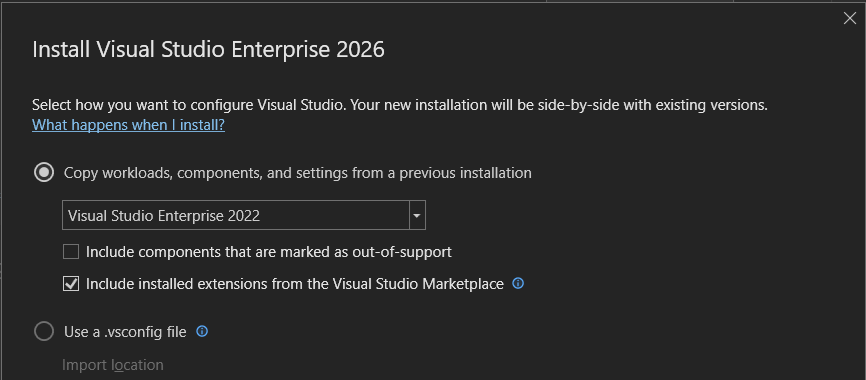
There were a couple of packages that weren’t available in VS 2026. The available packages ID linked to Visual Studio workload and component IDs | Microsoft Learn. These didn’t look like anything I have been using:
- Microsoft.VisualStudio.Component.Common.Azure.Tools
- Component.Microsoft.WebTools.BrowserLink.WebLivePreview
- aspire
- Microsoft.Net.Component.4.6.TargetingPack
I did confirm that they are included in the Visual Studio Enterprise (2022) workload and component IDs | Microsoft Learn. I decided to take a look at the Visual Studio Blog (it’s been a while) to see what else has been happening. This post particularly relevant to my extension writing goal caught my eye: SDK-Style Support for Extension Projects – Visual Studio Blog. That said, it’s incredible how much is happening in the developer tools space!
Leave a Reply