Peeking into Ubuntu Crash Handling
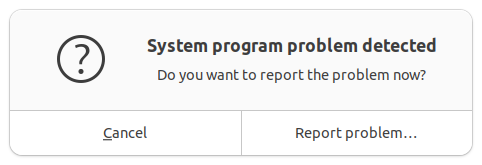
I recently turned on an Ubuntu VM I had not used in a while and was greeted by this error dialog about a system program problem. I looked up this message and got a reference to Apport – Ubuntu project documentation explaining that the crash reports are in /var/crash.
There were 3 files in that folder. Although I couldn’t initially read them since I wasn’t root, it was interesting seeing the callout warning me not to start VS Code as a super user.
saint@ubuntuvm3:~$ ls -l /var/crash
total 7428
-rw------- 1 root whoopsie  158635 Jul  1 15:35 python3.10.0.crash
-rw-r----- 1 root whoopsie 2995487 Jul  9 12:50 _usr_lib_cnf-update-db.0.crash
-rw-r----- 1 root whoopsie 4444576 Jul  1 15:35 _usr_lib_python3.10_py_compile.py.0.crash
saint@ubuntuvm3:~$ head -10 /var/crash/_usr_lib_cnf-update-db.0.crash
head: cannot open '/var/crash/_usr_lib_cnf-update-db.0.crash' for reading: Permission denied
saint@ubuntuvm3:~$ sudo code /var/crash/_usr_lib_cnf-update-db.0.crash
mkdir: cannot create directory ‘’: No such file or directory
You are trying to start Visual Studio Code as a super user which isn't recommended. If this was intended, please add the argument `--no-sandbox` and specify an alternate user data directory using the `--user-data-dir` argument.
I copied one of the files to my home folder and tried to open it without fixing the permissions. Several warnings appeared in VS Code, which was interesting to me because I never take this path in VS Code (taking me back to my full-time QA days).
2026-07-09 18:06:17.921 [error] [Window] Error: Unable to read file '/home/saint/cnf.txt' (NoPermissions (FileSystemError): An unknown error occurred. Please consult the log for more details.)
    at Kkt.G (vscode-file://vscode-app/snap/code/215/usr/share/code/resources/app/out/vs/workbench/workbench.desktop.main.js:3828:65903)
...
2026-07-09 18:06:18.102 [error] [Window] [File Watcher (node.js)] Failed to watch /home/saint/cnf.txt for changes using fs.watch() (Error: EACCES: permission denied, watch '/home/saint/cnf.txt')
...
Nothing chmod couldn’t take care of.
saint@ubuntuvm3:~$ ls -l cnf.txt
-rw-r----- 1 root root 2995487 Jul  9 18:06 cnf.txt
saint@ubuntuvm3:~$ sudo chmod o+r cnf.txt
saint@ubuntuvm3:~$ ls -l cnf.txt
-rw-r--r-- 1 root root 2995487 Jul  9 18:06 cnf.txt
An interesting aspect of the crash was that it looked like all 3 files were related to cnf-update-db. Per sources like Why do lines with “c-n-f Metadata” appear in the output of `sudo apt update`? – Ask Ubuntu, this is related to the command not found system that suggests packages to install to get the command you’re trying to use.
saint@ubuntuvm3:~$ sudo head -20 /var/crash/_usr_lib_cnf-update-db.0.crash
ProblemType: Crash
Architecture: amd64
Date: Thu Jul  9 12:50:33 2026
DistroRelease: Ubuntu 22.04
ExecutablePath: /usr/lib/cnf-update-db
ExecutableTimestamp: 1638960799
InterpreterPath: /usr/bin/python3.10
ProcCmdline: /usr/bin/python3 /usr/lib/cnf-update-db
ProcCwd: /tmp
ProcEnviron:
 LANGUAGE=en_US.UTF-8
 LANG=en_US.UTF-8
ProcMaps:
 6087ac793000-6087ac800000 r--p 00000000 08:02 1442737                    /usr/bin/python3.10
I knew that I needed to update everything on this VM. Firefox was on version 146.0.1. The strange thing was that the Software Updater app didn’t even start! Nothing happened when clicking on its icon. I ran apt update anyway.
saint@ubuntuvm3:~$ sudo apt update
Hit:1 https://download.docker.com/linux/ubuntu jammy InRelease
Hit:2 http://security.ubuntu.com/ubuntu jammy-security InRelease
Hit:3 http://us.archive.ubuntu.com/ubuntu jammy InRelease
Get:4 http://us.archive.ubuntu.com/ubuntu jammy-updates InRelease [128 kB]
Hit:5 http://us.archive.ubuntu.com/ubuntu jammy-backports InRelease
Get:6 http://us.archive.ubuntu.com/ubuntu jammy-updates/main amd64 Packages [3,624 kB]
Get:7 http://us.archive.ubuntu.com/ubuntu jammy-updates/main i386 Packages [1,039 kB]
Get:8 http://us.archive.ubuntu.com/ubuntu jammy-updates/universe i386 Packages [814 kB]
Get:9 http://us.archive.ubuntu.com/ubuntu jammy-updates/universe amd64 Packages [1,277 kB]
Get:10 http://us.archive.ubuntu.com/ubuntu jammy-updates/universe Translation-en [321 kB]
Fetched 7,203 kB in 2s (4,014 kB/s)
Reading package lists... Done
Building dependency tree... Done
Reading state information... Done
7 packages can be upgraded. Run 'apt list --upgradable' to see them.
saint@ubuntuvm3:~$ apt list --upgradable
Listing... Done
docker-compose-plugin/jammy 5.3.1-1~ubuntu.22.04~jammy amd64 [upgradable from: 5.2.0-1~ubuntu.22.04~jammy]
fwupd/jammy-updates 2.0.20-1ubuntu2~22.04.2 amd64 [upgradable from: 2.0.20-1ubuntu2~22.04.1]
iproute2/jammy-updates 5.15.0-1ubuntu2.2 amd64 [upgradable from: 5.15.0-1ubuntu2]
libfwupd3/jammy-updates 2.0.20-1ubuntu2~22.04.2 amd64 [upgradable from: 2.0.20-1ubuntu2~22.04.1]
python3-distupgrade/jammy-updates,jammy-updates 1:22.04.21 all [upgradable from: 1:22.04.20]
ubuntu-release-upgrader-core/jammy-updates,jammy-updates 1:22.04.21 all [upgradable from: 1:22.04.20]
ubuntu-release-upgrader-gtk/jammy-updates,jammy-updates 1:22.04.21 all [upgradable from: 1:22.04.20]
saint@ubuntuvm3:~$ uname -a
Linux ubuntuvm3 6.8.0-90-generic #91~22.04.1-Ubuntu SMP PREEMPT_DYNAMIC Thu Nov 20 15:20:45 UTC 2 x86_64 x86_64 x86_64 GNU/Linux
saint@ubuntuvm3:~$ sudo apt upgrade
Reading package lists... Done
Building dependency tree... Done
Reading state information... Done
Calculating upgrade... Done
The following packages were automatically installed and are no longer required:
  libfwupd2 libfwupdplugin5 libgcab-1.0-0 libslirp0 libsmbios-c2 libwpe-1.0-1 libwpebackend-fdo-1.0-1 slirp4netns
Use 'sudo apt autoremove' to remove them.
The following packages have been kept back:
  fwupd libfwupd3 python3-distupgrade ubuntu-release-upgrader-core ubuntu-release-upgrader-gtk
The following packages will be upgraded:
  docker-compose-plugin iproute2
2 upgraded, 0 newly installed, 0 to remove and 5 not upgraded.
Need to get 9,172 kB of archives.
After this operation, 72.7 kB of additional disk space will be used.
Do you want to continue? [Y/n] y
Get:1 https://download.docker.com/linux/ubuntu jammy/stable amd64 docker-compose-plugin amd64 5.3.1-1~ubuntu.22.04~jammy [8,100 kB]
Get:2 http://us.archive.ubuntu.com/ubuntu jammy-updates/main amd64 iproute2 amd64 5.15.0-1ubuntu2.2 [1,072 kB]
Fetched 9,172 kB in 2s (5,743 kB/s)
Preconfiguring packages ...
(Reading database ... 181925 files and directories currently installed.)
Preparing to unpack .../iproute2_5.15.0-1ubuntu2.2_amd64.deb ...
Unpacking iproute2 (5.15.0-1ubuntu2.2) over (5.15.0-1ubuntu2) ...
Preparing to unpack .../docker-compose-plugin_5.3.1-1~ubuntu.22.04~jammy_amd64.deb ...
Unpacking docker-compose-plugin (5.3.1-1~ubuntu.22.04~jammy) over (5.2.0-1~ubuntu.22.04~jammy) ...
Setting up iproute2 (5.15.0-1ubuntu2.2) ...
Setting up docker-compose-plugin (5.3.1-1~ubuntu.22.04~jammy) ...
Processing triggers for man-db (2.10.2-1) ...
These were not as many packages as I expected to have updates! The next question was therefore how to determine whether I was on the latest security release. 22.04.5 appears to be the latest build, which is what cat /etc/lsb-release showed to my relief. Unfortunately, I didn’t check this value before I ran apt upgrade so I don’t know if this was already the version I was running when I started.
saint@ubuntuvm3:~$ uname -r
6.8.0-90-generic
saint@ubuntuvm3:~$ uname -a
Linux ubuntuvm3 6.8.0-90-generic #91~22.04.1-Ubuntu SMP PREEMPT_DYNAMIC Thu Nov 20 15:20:45 UTC 2 x86_64 x86_64 x86_64 GNU/Linux
saint@ubuntuvm3:~$ cat /etc/lsb-release
DISTRIB_ID=Ubuntu
DISTRIB_RELEASE=22.04
DISTRIB_CODENAME=jammy
DISTRIB_DESCRIPTION="Ubuntu 22.04.5 LTS"
At this point, I decided to abandon the VM and create a new one with the latest release. I downloaded the 26.04 ISO from Ubuntu 24.04.4 (Noble Numbat) and verified its entry in the SHASUMS file. I ran into some errors setting up the VM in Hyper V so I ended my experiment with VMs there.
Leave a Reply