Troubleshooting VPN Connectivity
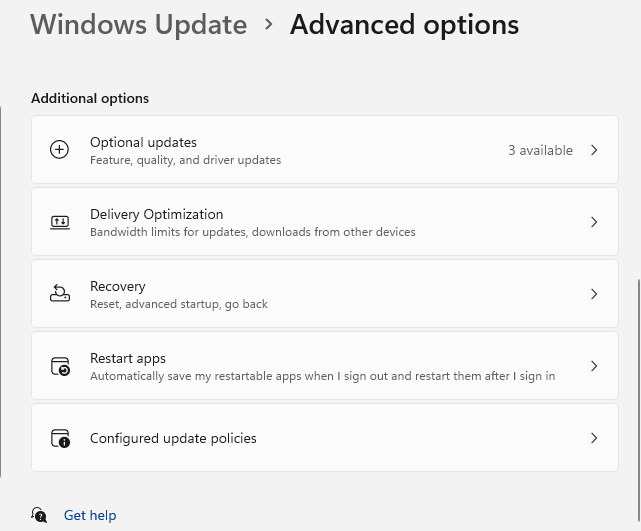
Earlier this year I had trouble connecting to the VPN on one of my devices (Windows 11 Pro 24H2). I also got this error from Teams: We Couldn’t authenticate you. This could be due to a device or network problem, or Teams could be experiencing a technical issue – Microsoft Q&A. It was an interesting learning experience, getting to see parts of the OS/networking stack in action that I don’t usually even think about. The troubleshooting process started with the usual tasks: install all Windows updates, including the optional updates. That option (from my desktop) is shown below:
After all updates had been installed and the computer rebooted, I needed to sync the device from the Access Work or School settings. Sync enrolled device for Windows | Microsoft Learn explains how to do so. See also How to manually sync a Windows 11 device with Intune – Microsoft Q&A. The sync was successful and the device was up to date.
The Azure VPN Client had this error message: Failure in acquiring Microsoft Entra Token: Provider Error <number>: The server or proxy was not found. Someone else ran into this issue in Azure P2S VPN Disconnecting – Microsoft Q&A. This was unusual in my case because the Access work or school pane said that I was connected.
The next step was to run dsregcmd /status and review the device state and details. See Troubleshoot devices by using the dsregcmd command – Microsoft Entra ID | Microsoft Learn. The device had AzureAdJoined : YES but its DeviceAuthStatus was FAILED. Error: 0x...
Next, we examined this registry key: HKEY_LOCAL_MACHINE\SYSTEM\CurrentControlSet\Services\Dnscache\Parameters\DnsPolicyConfig. Here is a screenshot from my desktop (not the device in question).
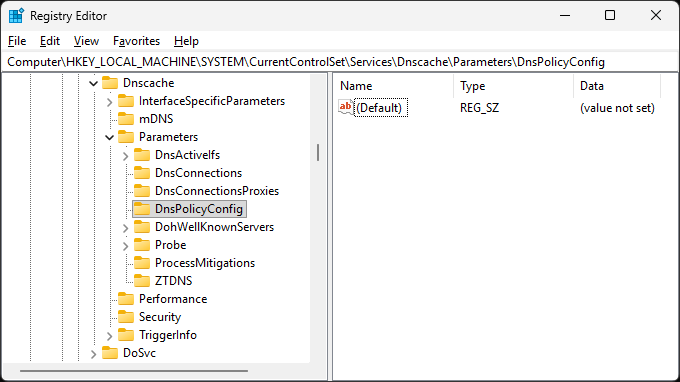
It turned out that there was a subkey with outdated configuration information! Deleting that subkey resolved all the connectivity issues. This was interesting to me because I assumed that general internet connectivity meant that there shouldn’t be any DNS issues whatsoever. I clearly didn’t have a good picture of how DNS is set up in these configurations and how these setups can go wrong.
Leave a Reply